AI TEXTURING.
INSIDE YOUR ENGINE.
A Unity Editor tool and Blender add-on. Capture your 3D model from multiple angles, send it to Google's Gemini API with your prompt, and get a new texture wired straight into the right material slot — URP, HDRP, or Blender's Principled BSDF. Bring your own key. Pay Gemini at cost.
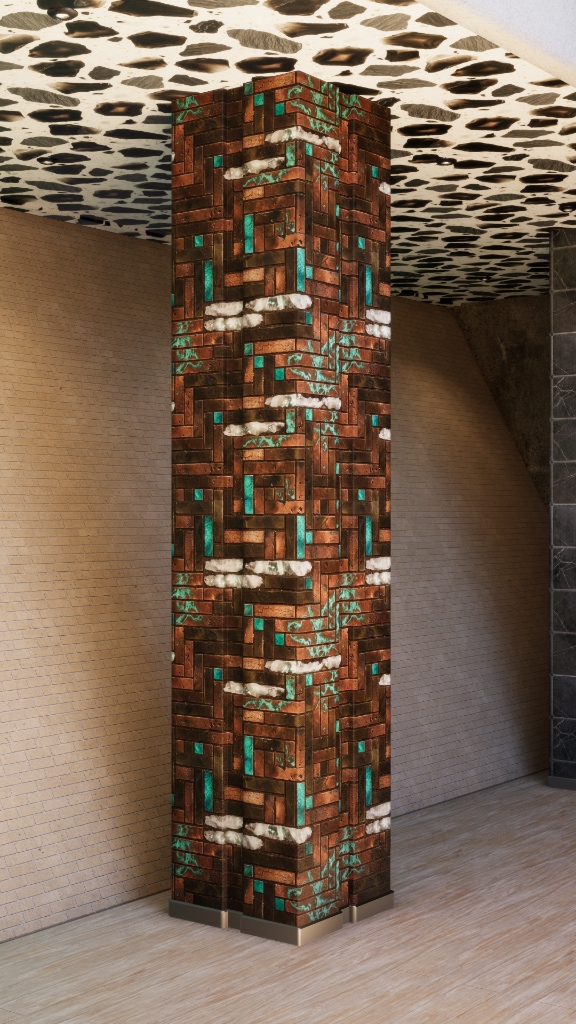
MODE 01 UNITY ONLY
TEXTURER
MODE.
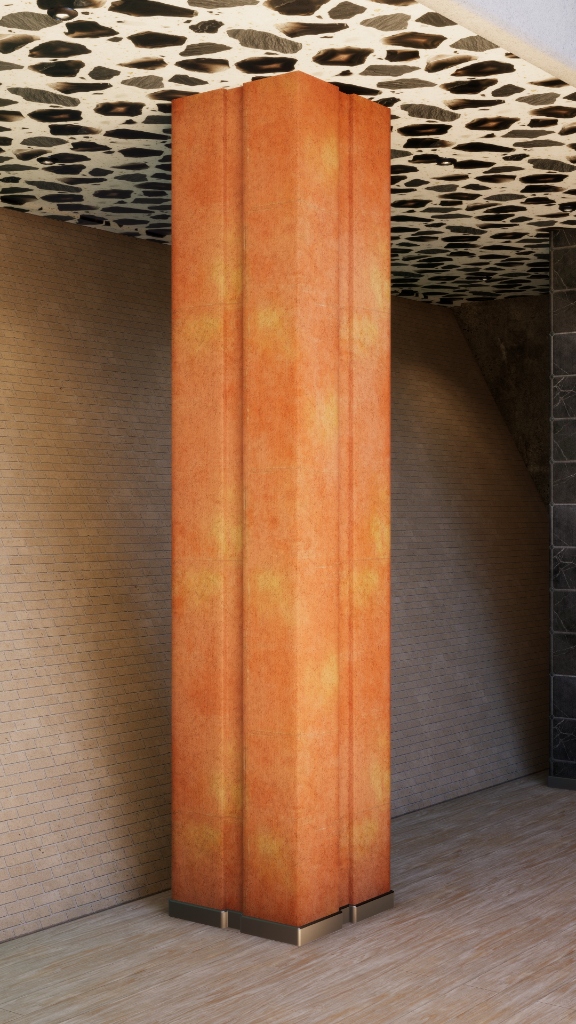
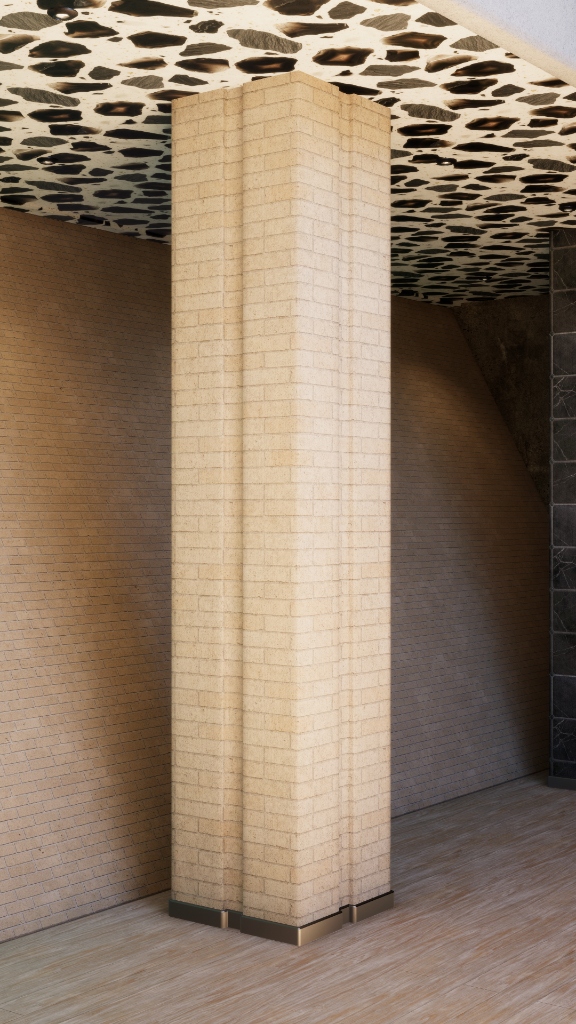
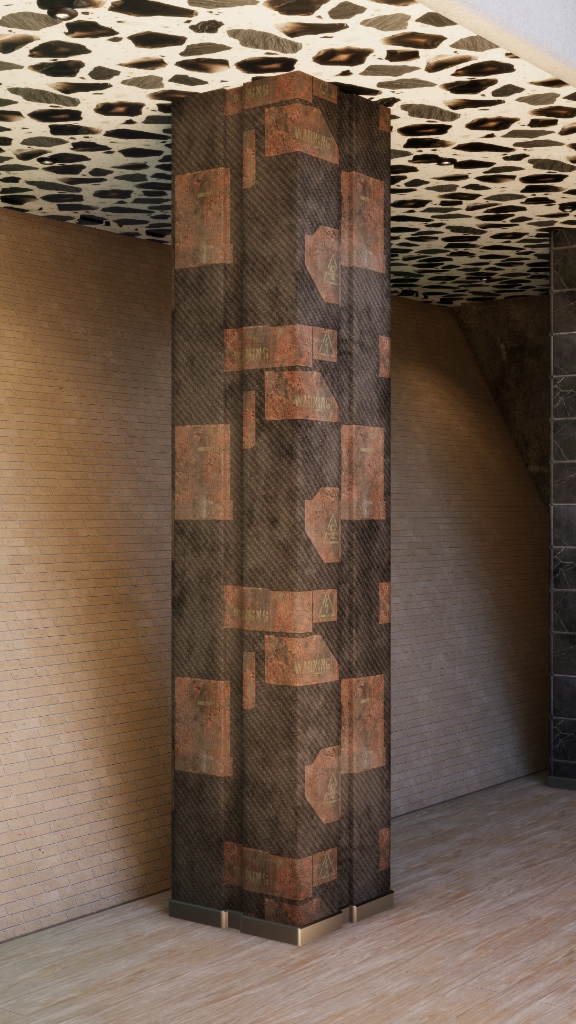
From dungeon ground tiles and stone pillars, to photorealistic ArchViz kitchens and stylized pool surfaces. Procedurally generate flat, seamless, tileable PBR materials for almost any surface use case.
- Seamless Tiling Prompts: Generates edge-wrapping tileable materials by instructing the model to produce tile-safe output — no hand-cloning edges in Photoshop.
- Native PBR Generation: Outputs Color, Normal, and Emission maps as separate generations, plugged straight into Unity's standard material slots.
- Focused 2D Pipeline: Texturer Mode deliberately skips 3D context capture — the model isn't shown scene screenshots, which keeps tileable output flat and clean instead of trying to wrap around imaginary geometry.
- Style Reference Lock: Drop a 2D reference image and it's sent as the primary visual guide for color palette and material direction.
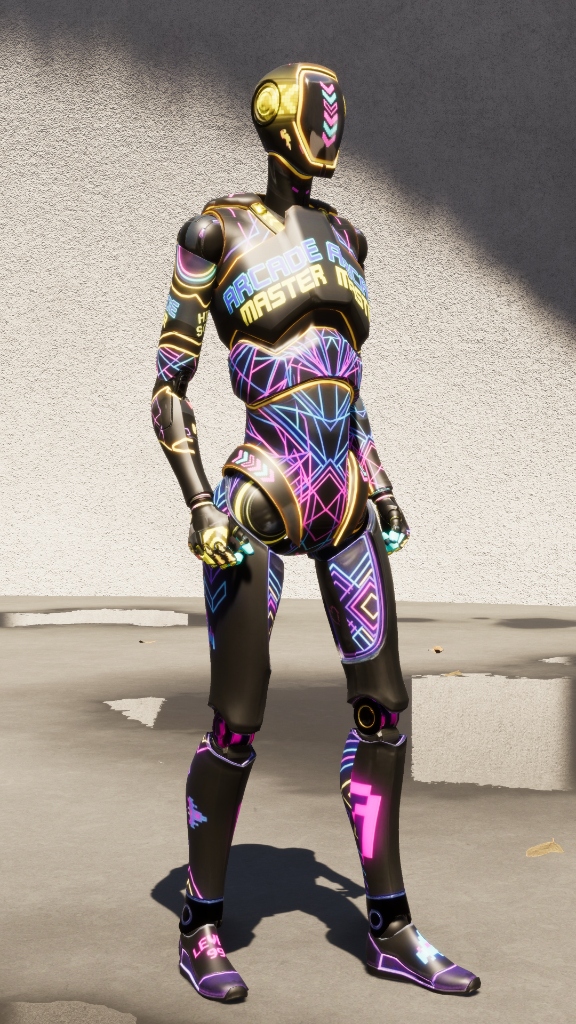
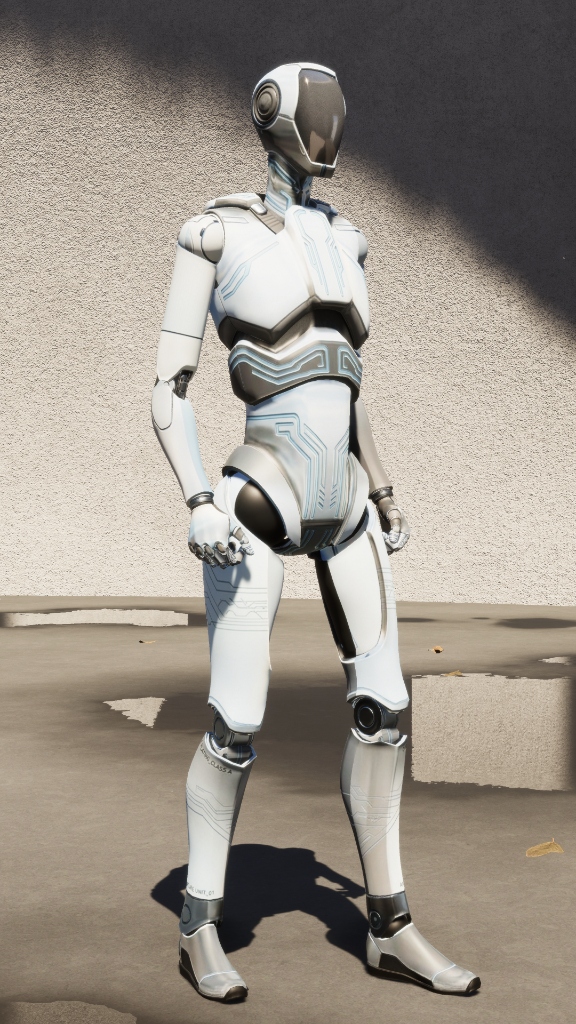
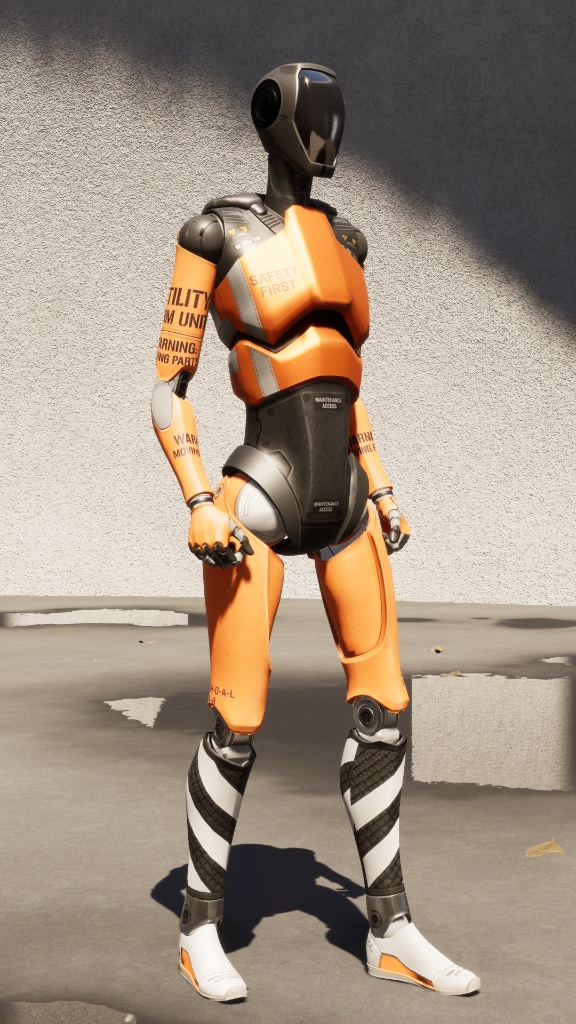
MODE 02 UNITY + BLENDER
RESKIN
MODE.
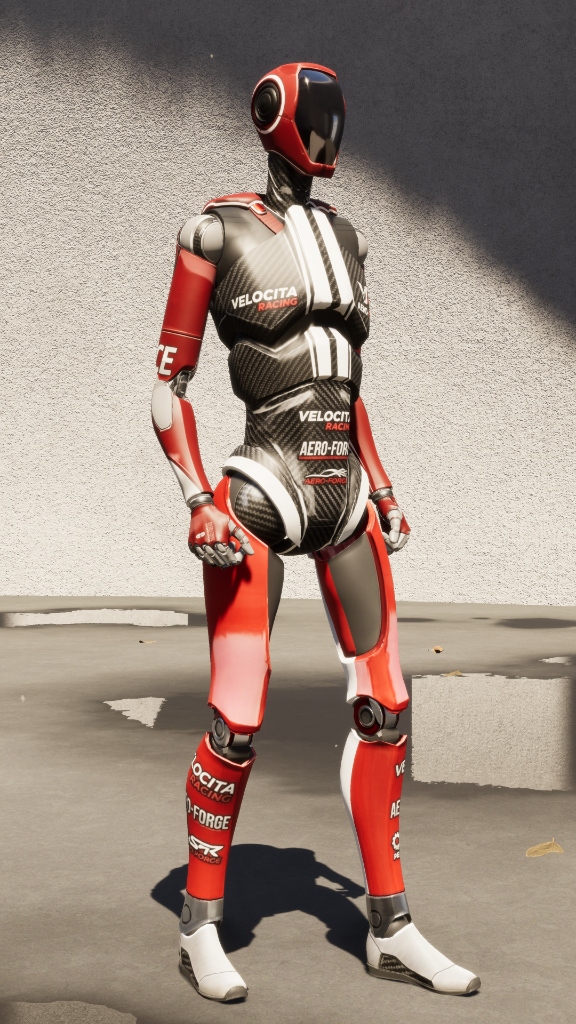
Drop a model into the pipeline and produce new, edge-aware skins that follow your existing UV unwrap. Expand your game's visual variety without ever launching a legacy texturing tool.
- Universal Mesh Support: Seamlessly handles simple low-poly props mapped to a single baked color atlas, all the way up to complex character rigs constructed from dozens of isolated sub-meshes.
- Surgical Targeting: Batch-reskin entire hierarchies globally in one click, or isolate specific components—like generating carbon fiber solely for a character's chest plate.
- Geometry Aware: A 5-angle scene capture plus per-sub-mesh isolation gives the AI real visual context for arms, faces, and mechanical details — not a flat 2D guess.
- Style Consistency: Feed the engine a single reference image and it locks all generated textures—across every sub-mesh—into your studio's exact color palette and art direction.
MODE 03 BLENDER ONLY
COLD-START
MODE.
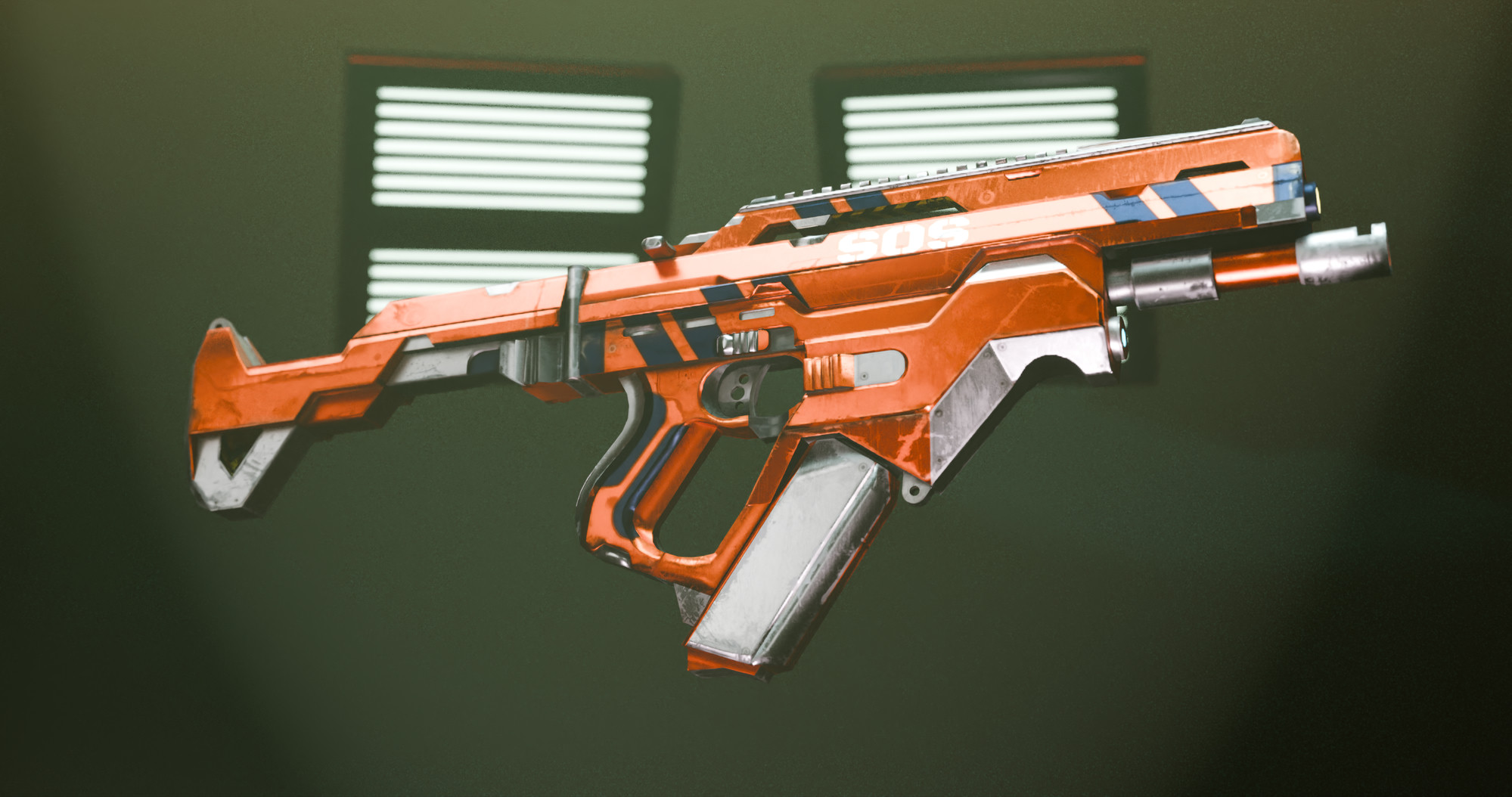
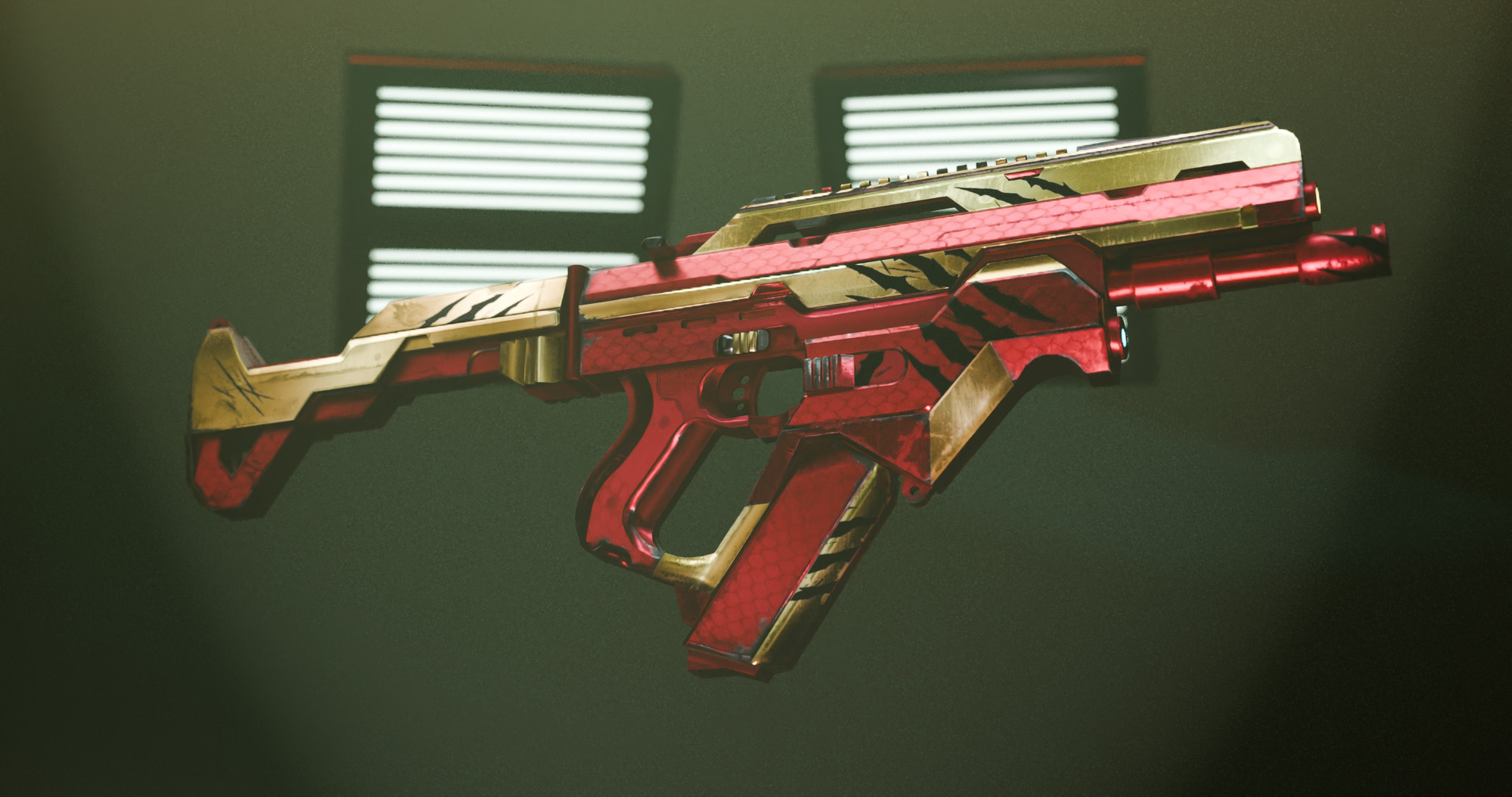
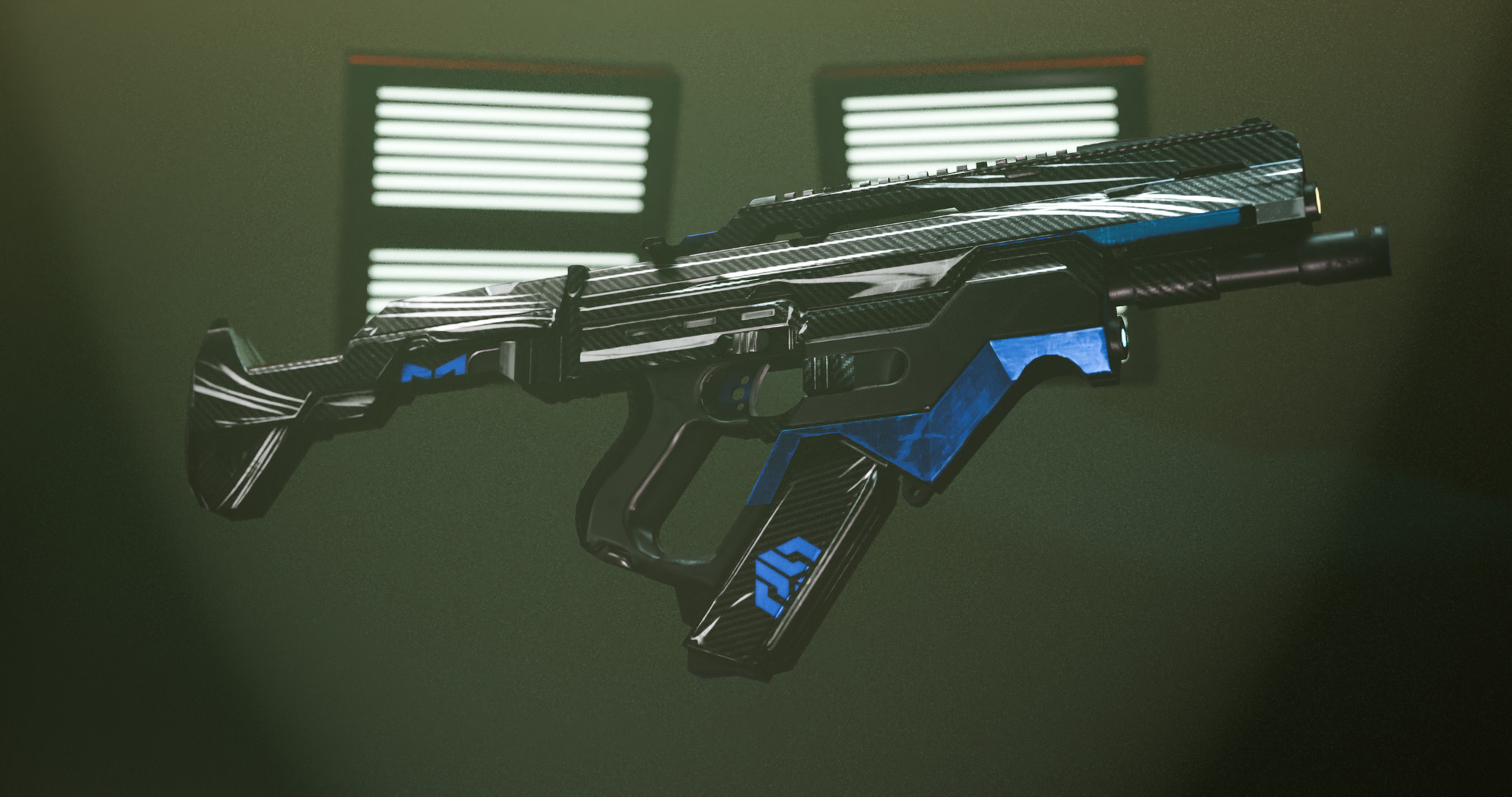
Bring an unwrapped mesh — nothing else. No materials, no shader graphs, no manual bake setup. ReskinIT for Blender runs Ambient Occlusion and curvature bakes for you, hands them to the AI, and ships back a fully textured model without ever leaving Blender.
- Untextured to Finished: Starts from a bare unwrapped mesh — no materials, no node wiring, no Substance round-trips, no external bake tools.
- Geometry-Aware AI: AO and curvature bakes give the model surface context — edges, cavities, and form — instead of a flat 2D guess.
- Free Geometry-Only PBR: Roughness and Metallic can be derived directly from the mesh using AO + curvature passes — zero API cost. Toggle “Edge Wear” for Metallic and curvature peaks become exposed metal automatically.
- Blender-Exclusive Capabilities: Same core Gemini pipeline as Unity, plus a native Blender add-on with Cold-Start, dedicated Metallic and Roughness maps, and 4K Pro-tier output — capabilities the Unity edition doesn't ship today.
BLENDER · IN THE WILD
RENDERS, BAKES
& EXPERIMENTS.
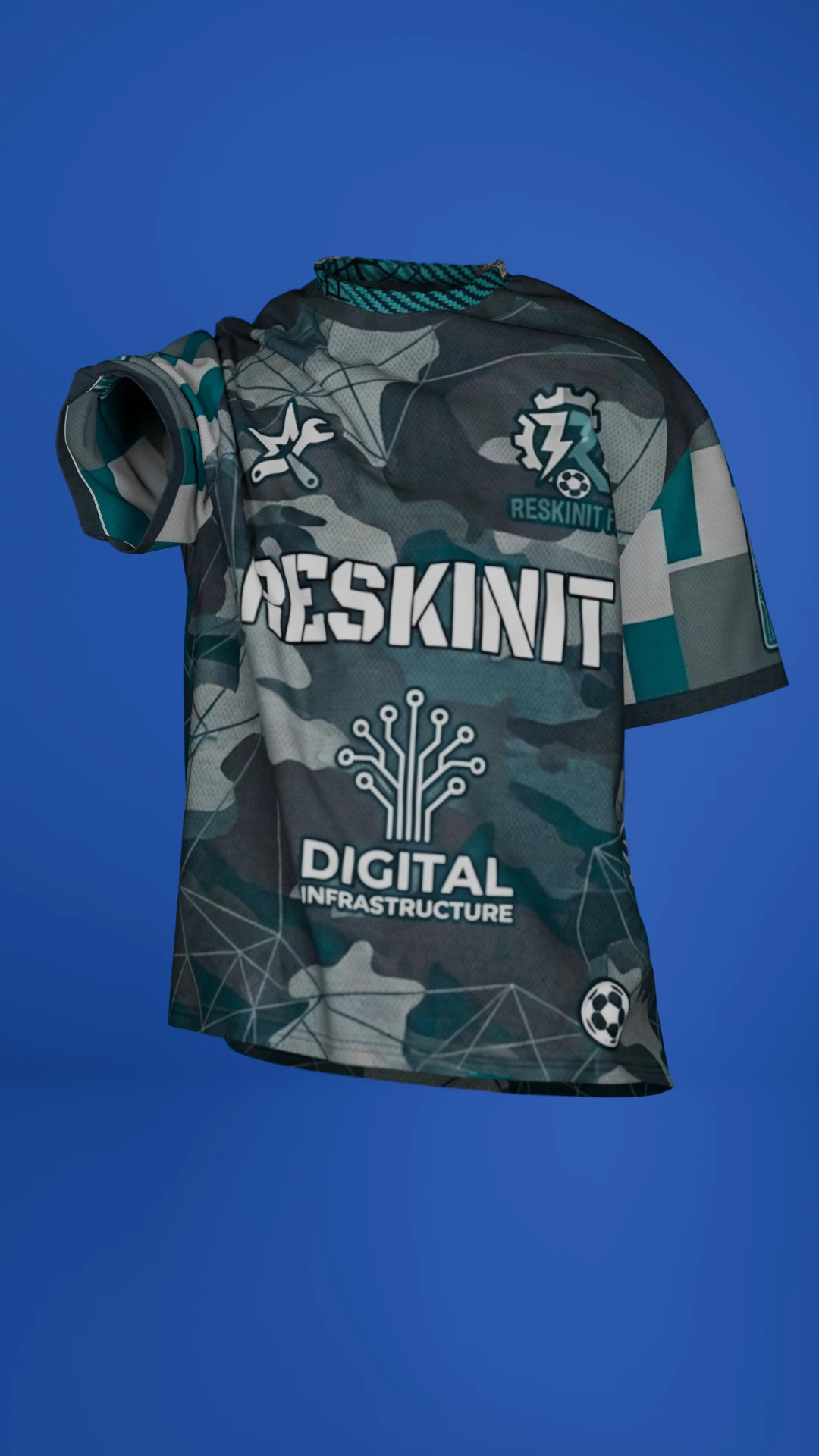
Each card is a different ReskinIT capability in action — Cold-Start texturing, full PBR output, emission maps, text & decals — proven on a different production asset.
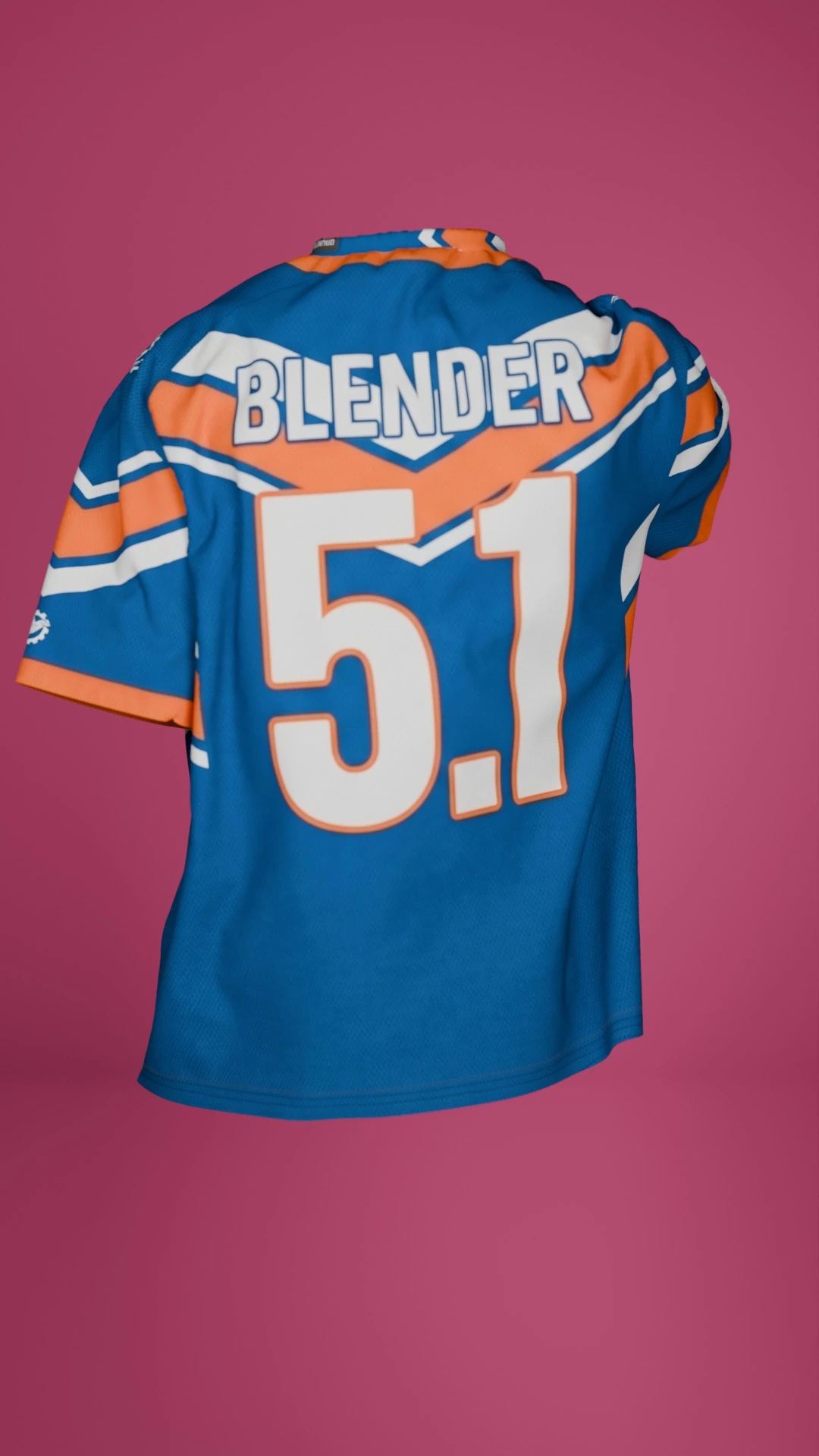
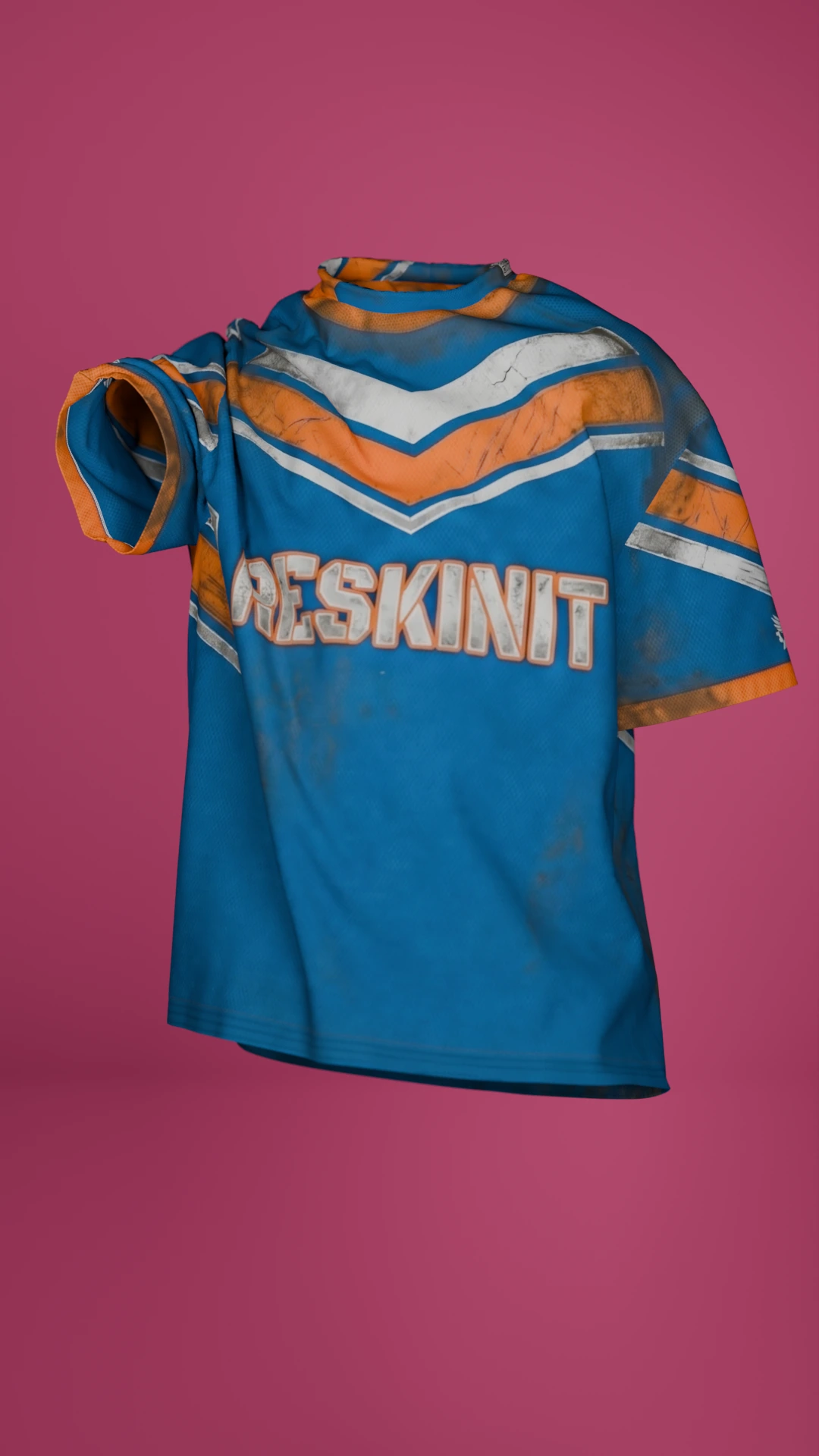
 Made in Blender
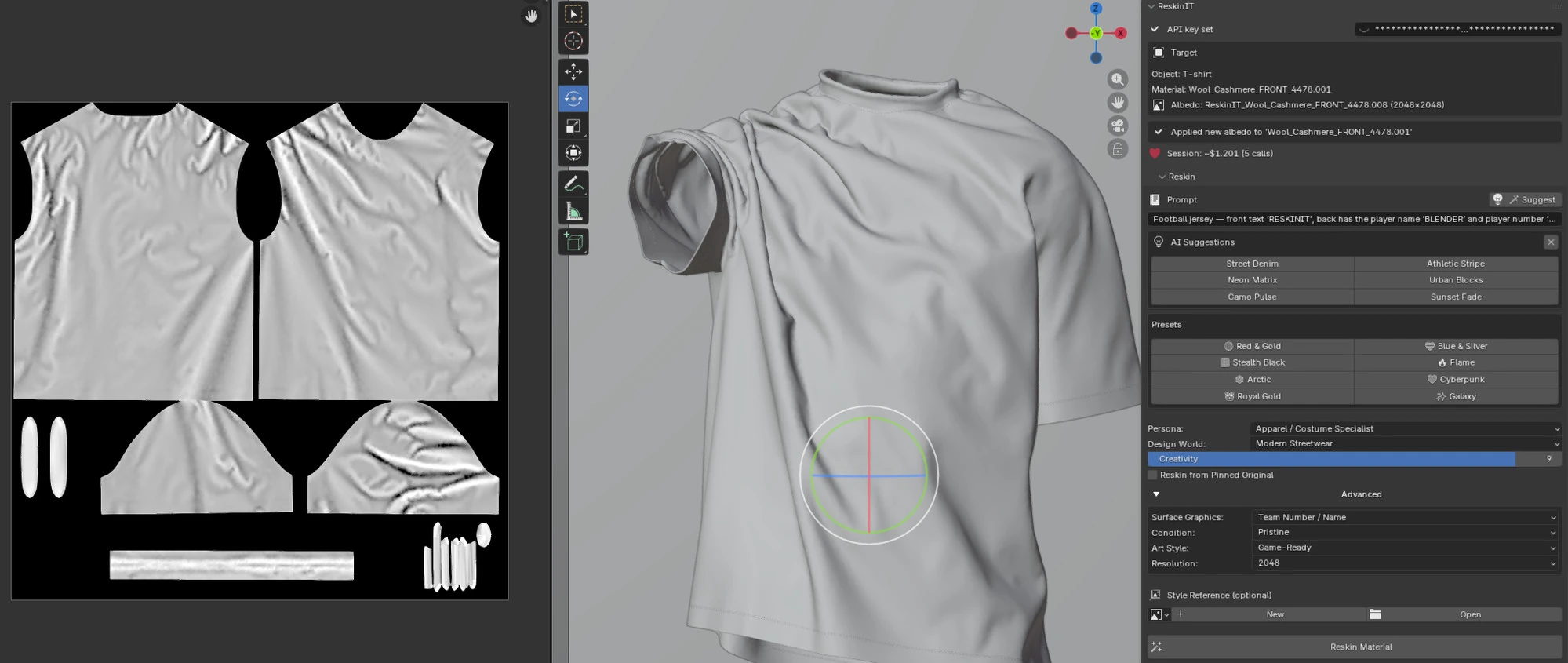
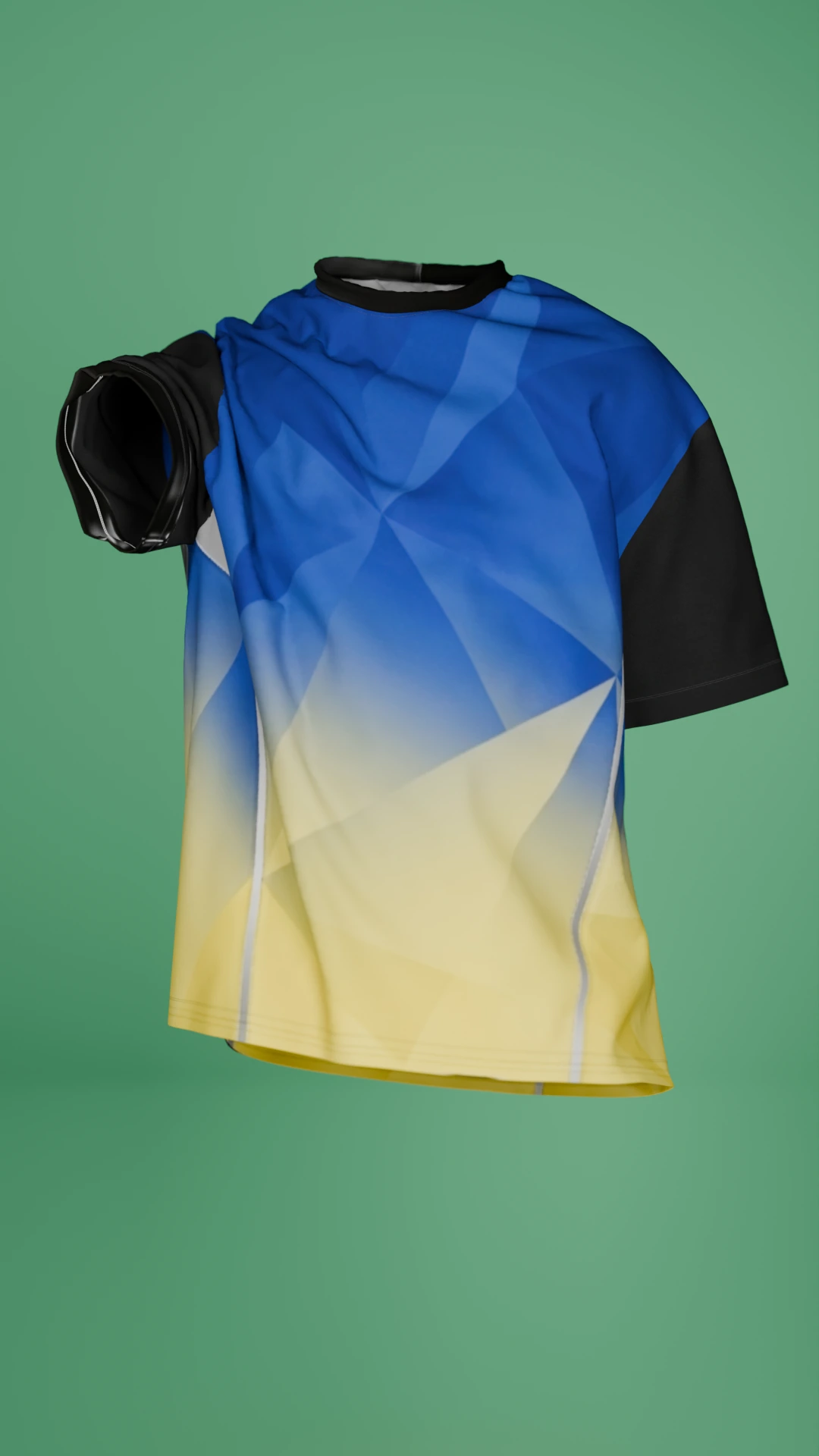
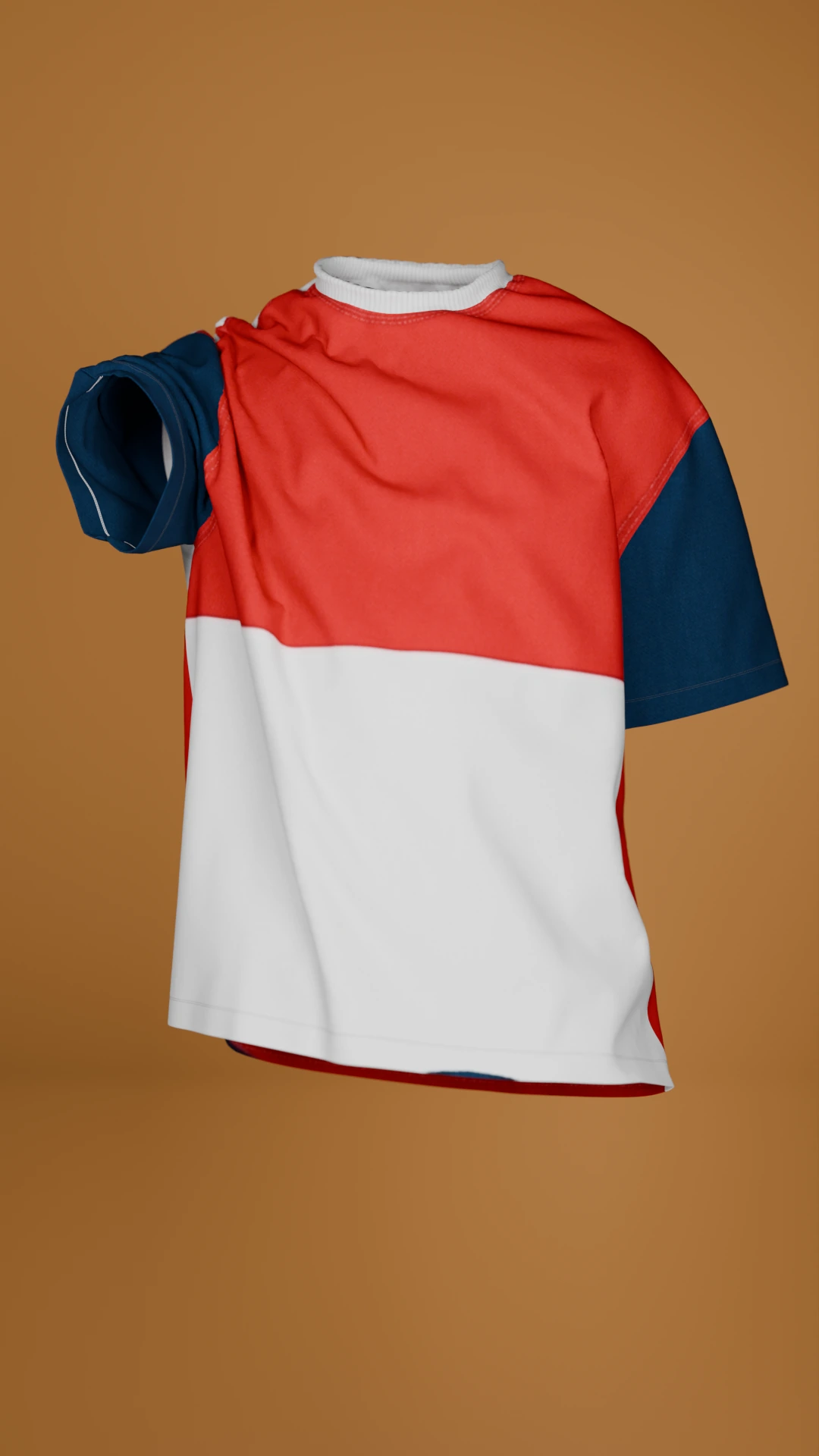
“Football jersey — front text ‘RESKINIT’, back has the player name ‘BLENDER’ and player number ‘5.1’.”
Typed straight into the N-panel — the result lands on the model with no web round-trip.
 Made in Blender
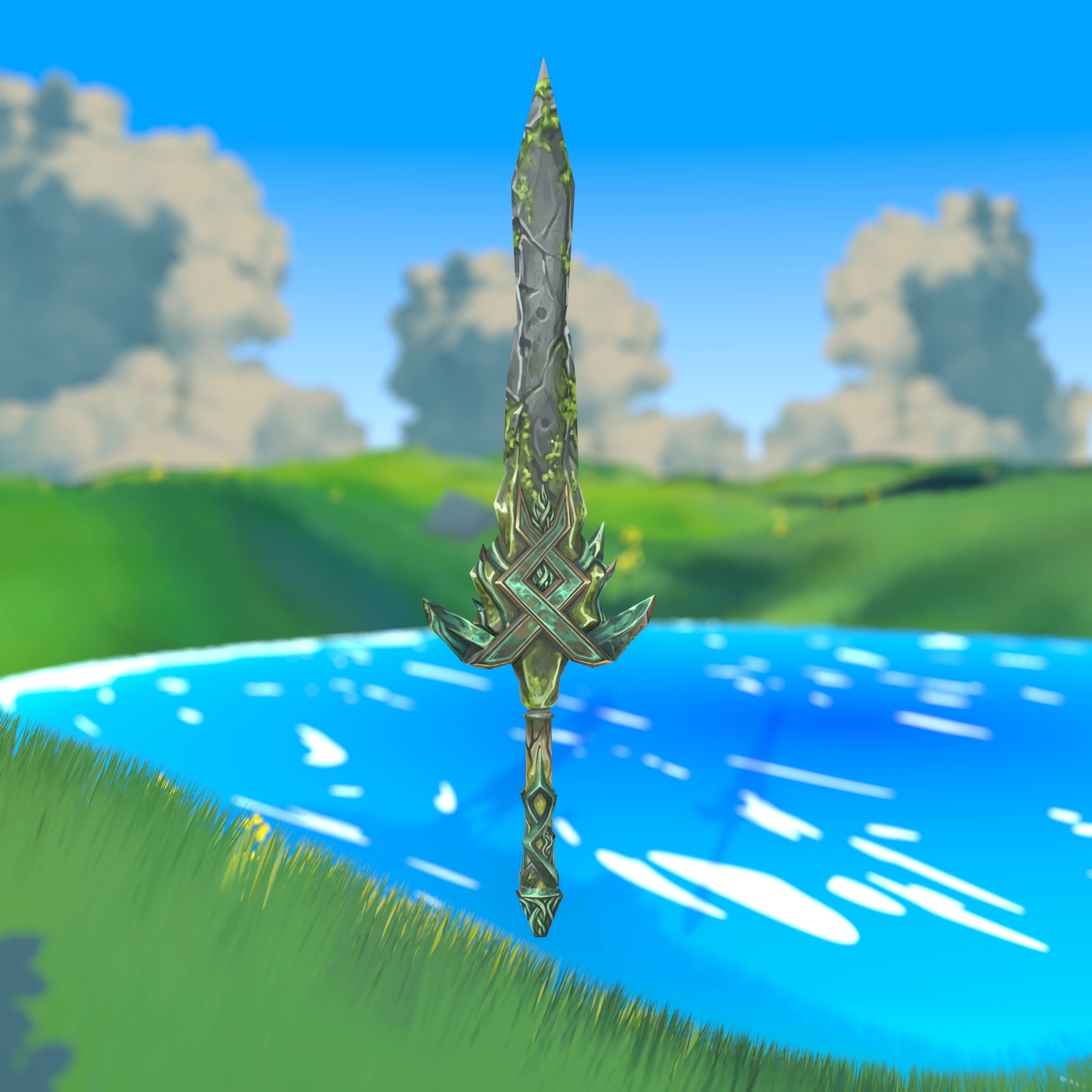
“Mirror-polished wootz blade, bronze crossguard with sapphire gemstone inlay, and a scabbard wrapped in crimson silk cord.”
Stylized low-poly blade with full AI PBR maps — or bake Roughness, Metallic, AO and curvature straight from geometry, zero API cost.
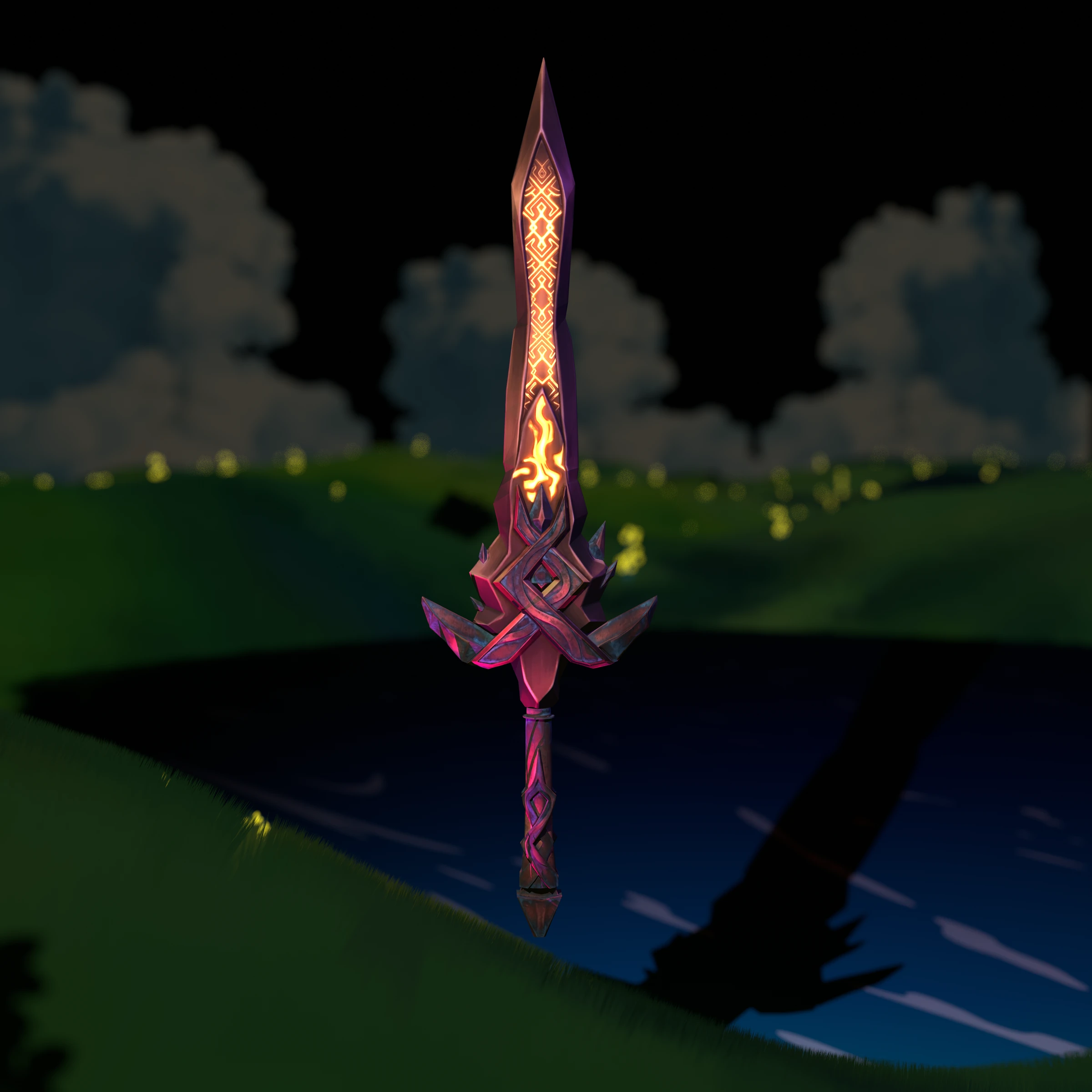
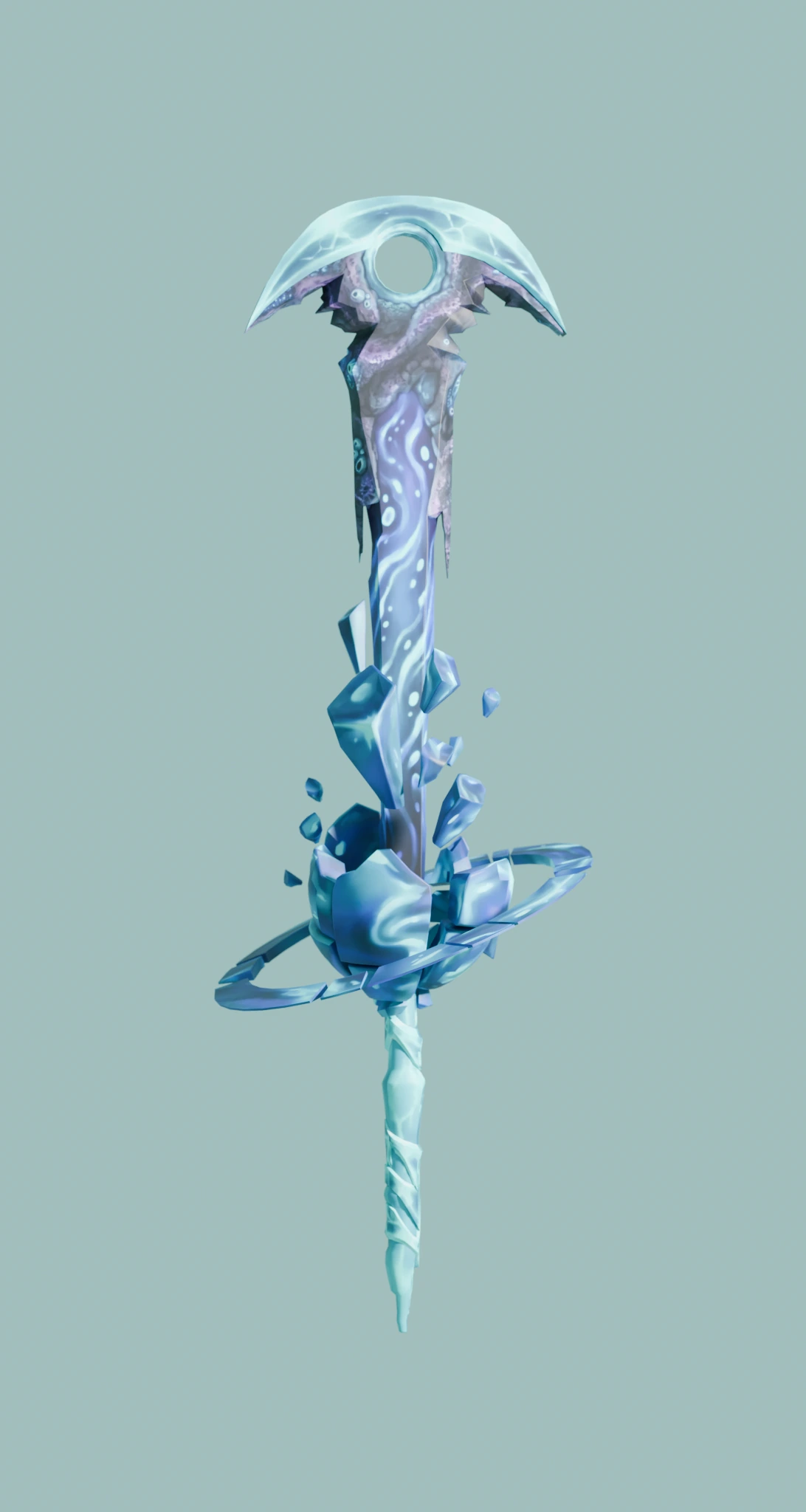
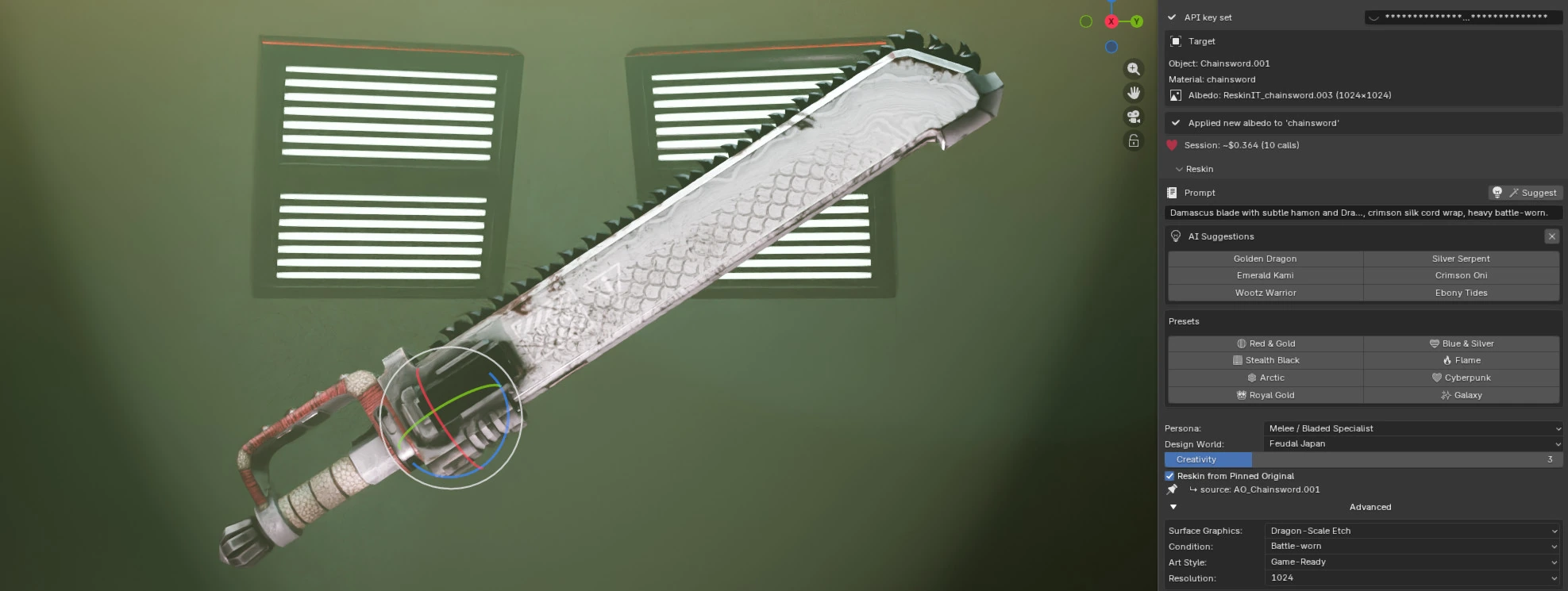 Made in Blender
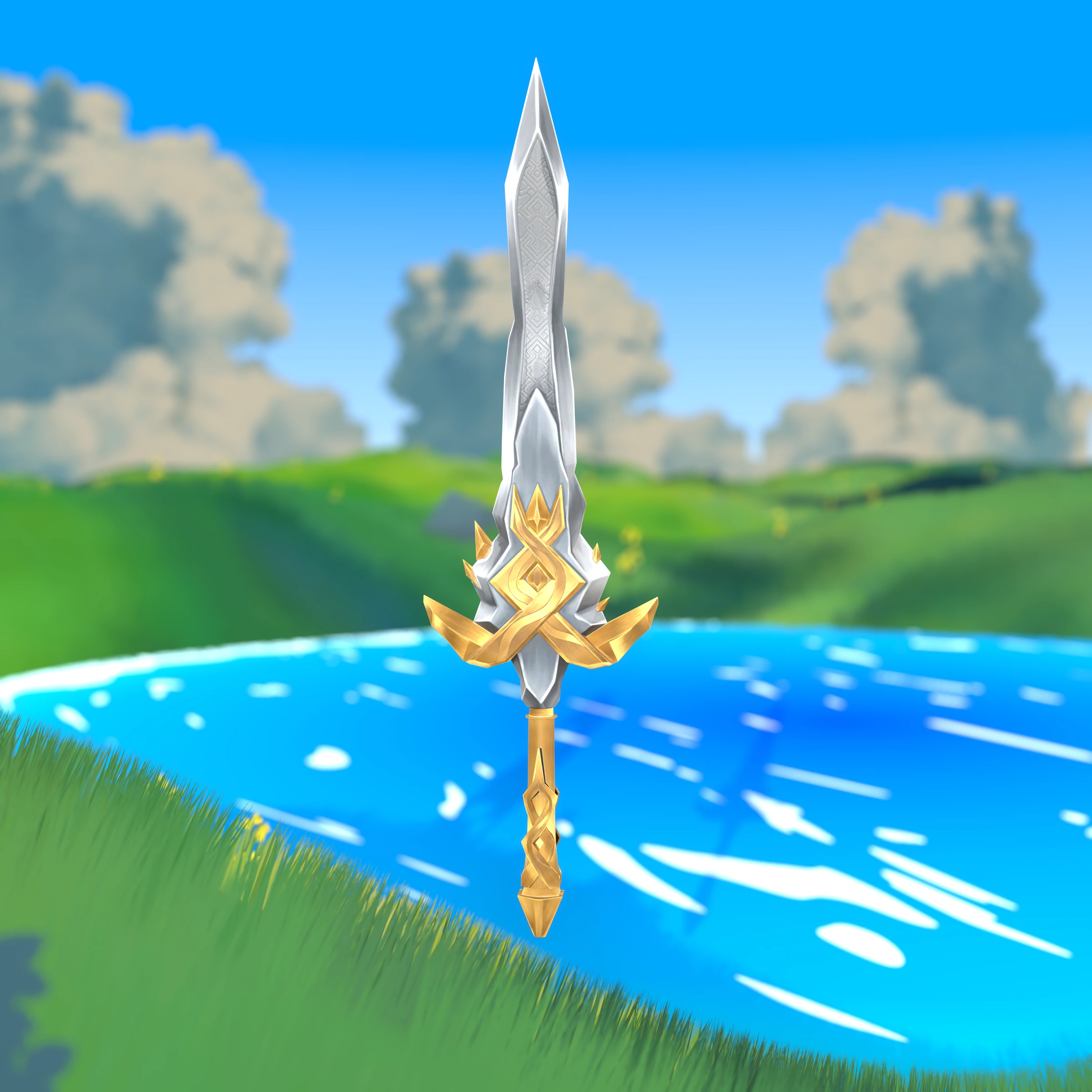
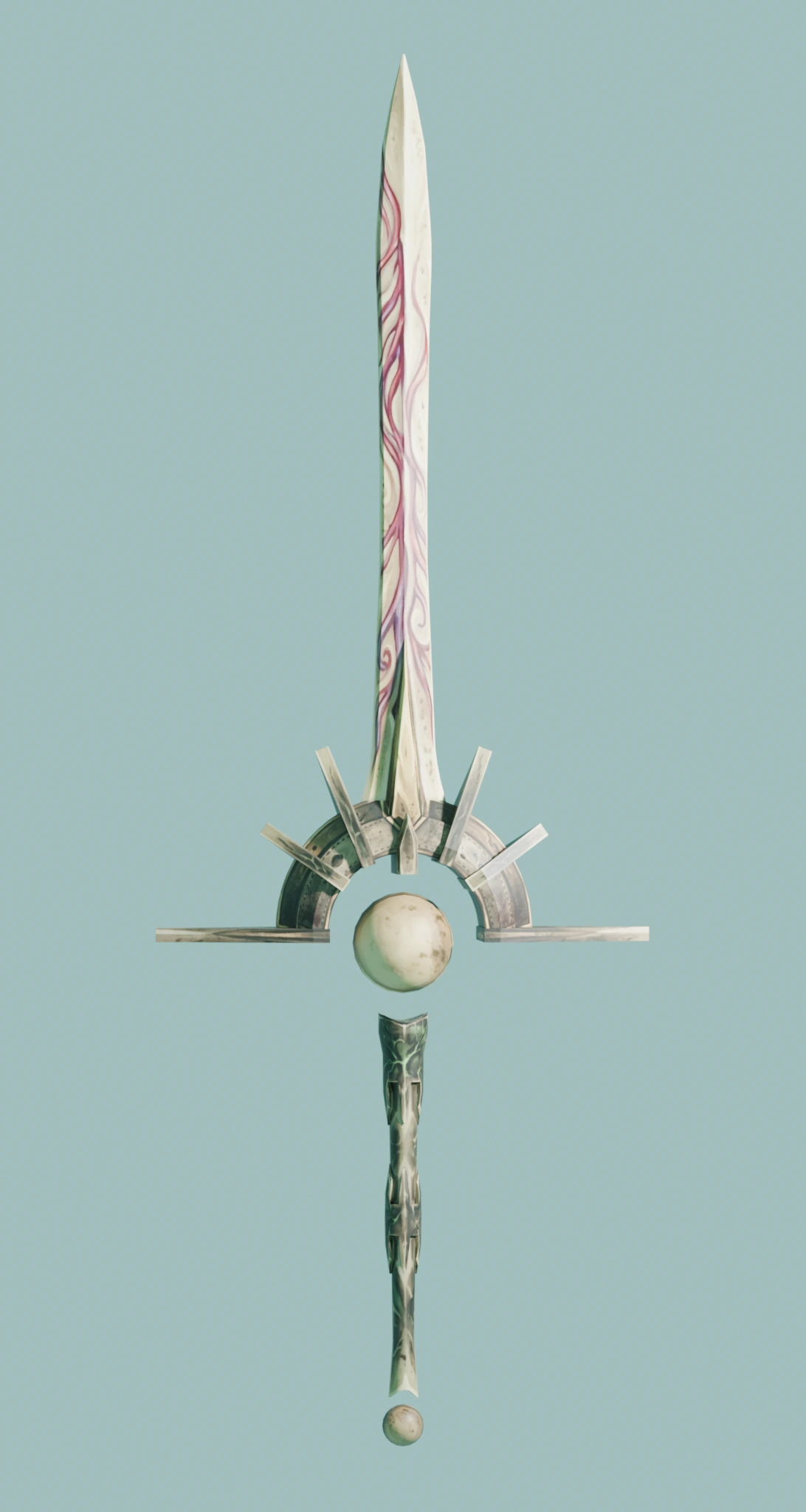
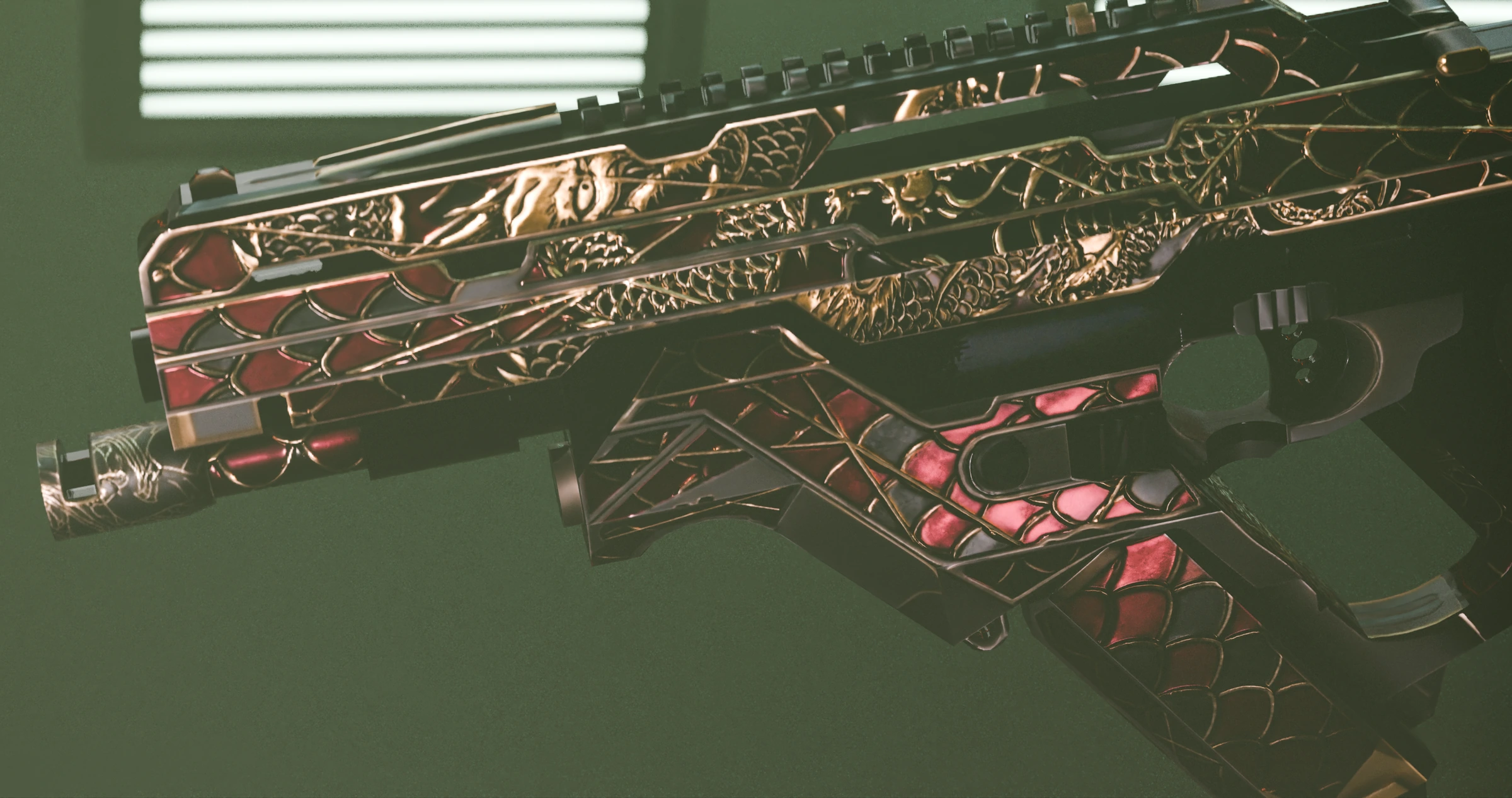
“Damascus blade with a subtle hamon and dragon-scale etch, crimson silk cord wrap, heavy battle-worn.”
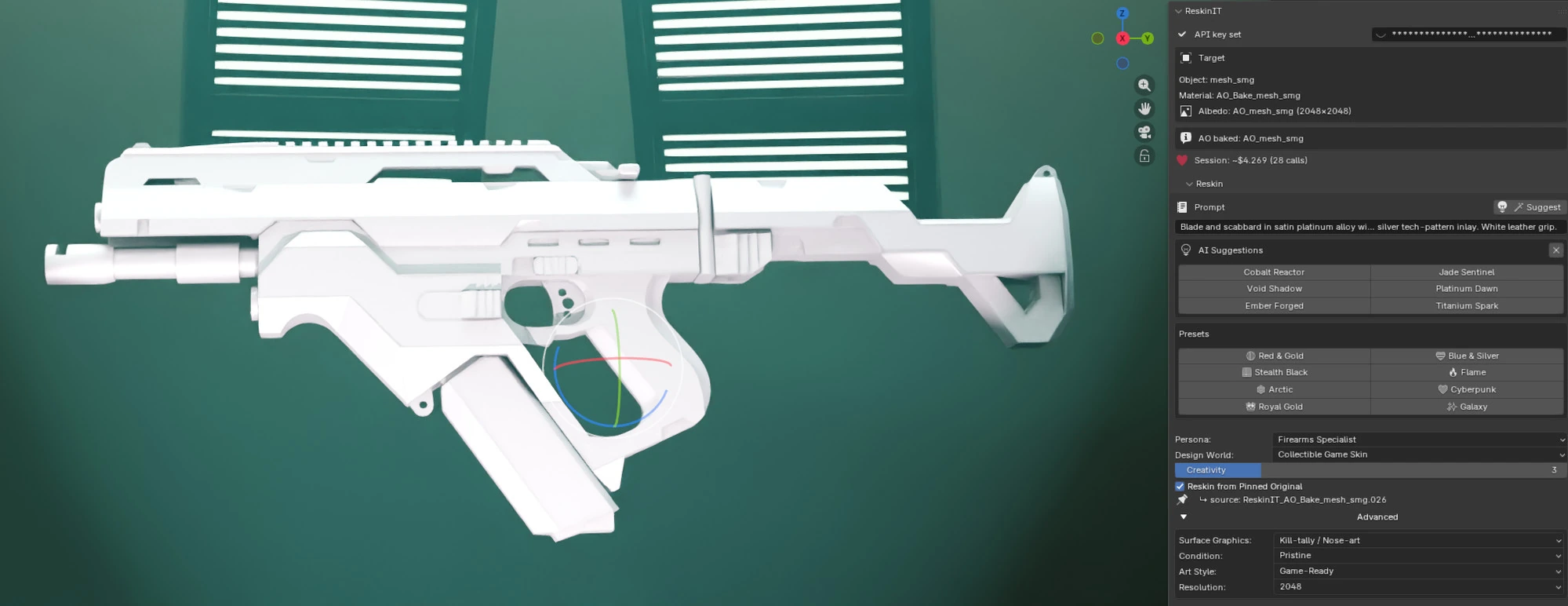
Cold-Start from a pinned AO base — no input texture, three full-PBR faction finishes in one session.
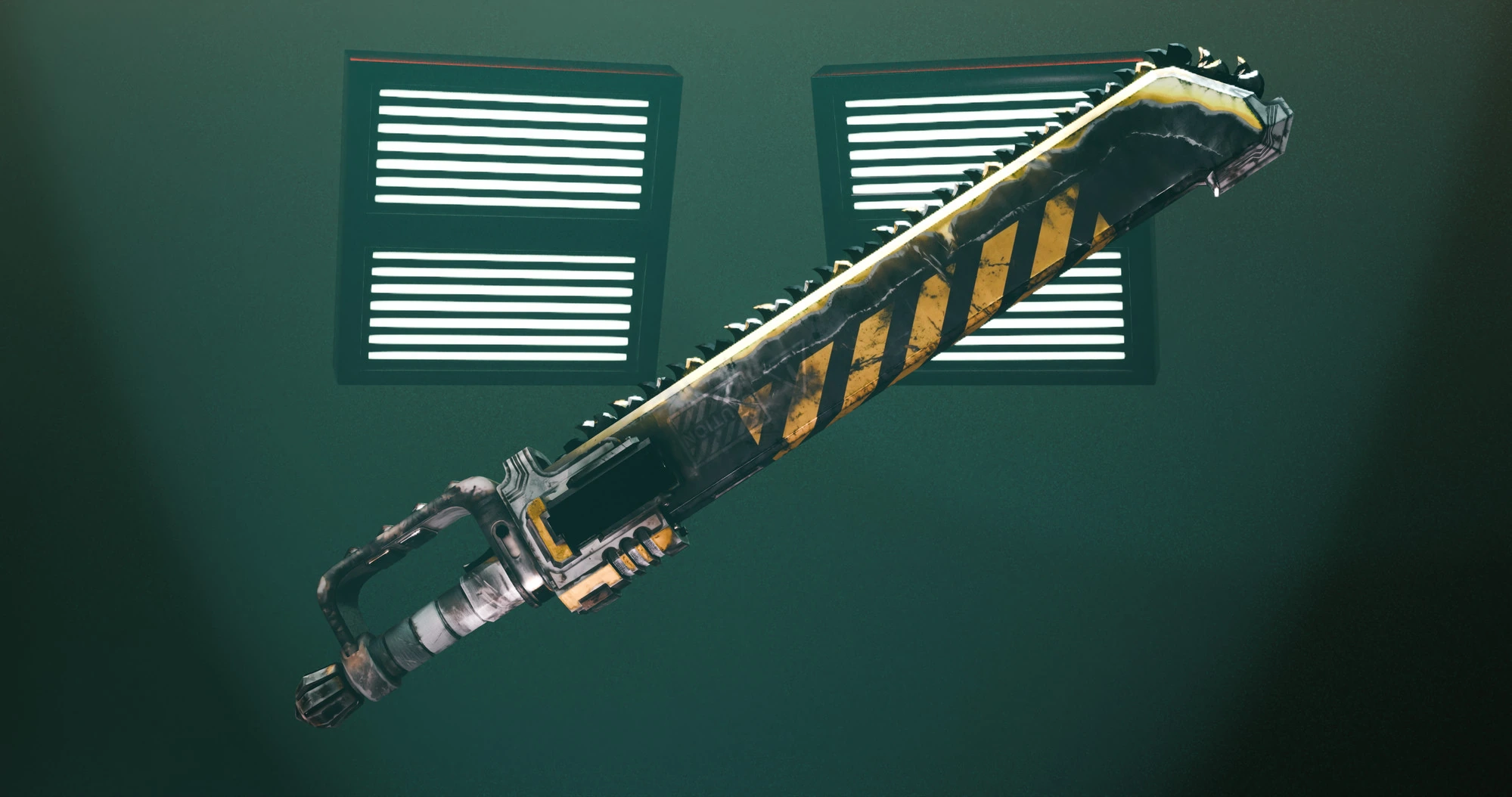
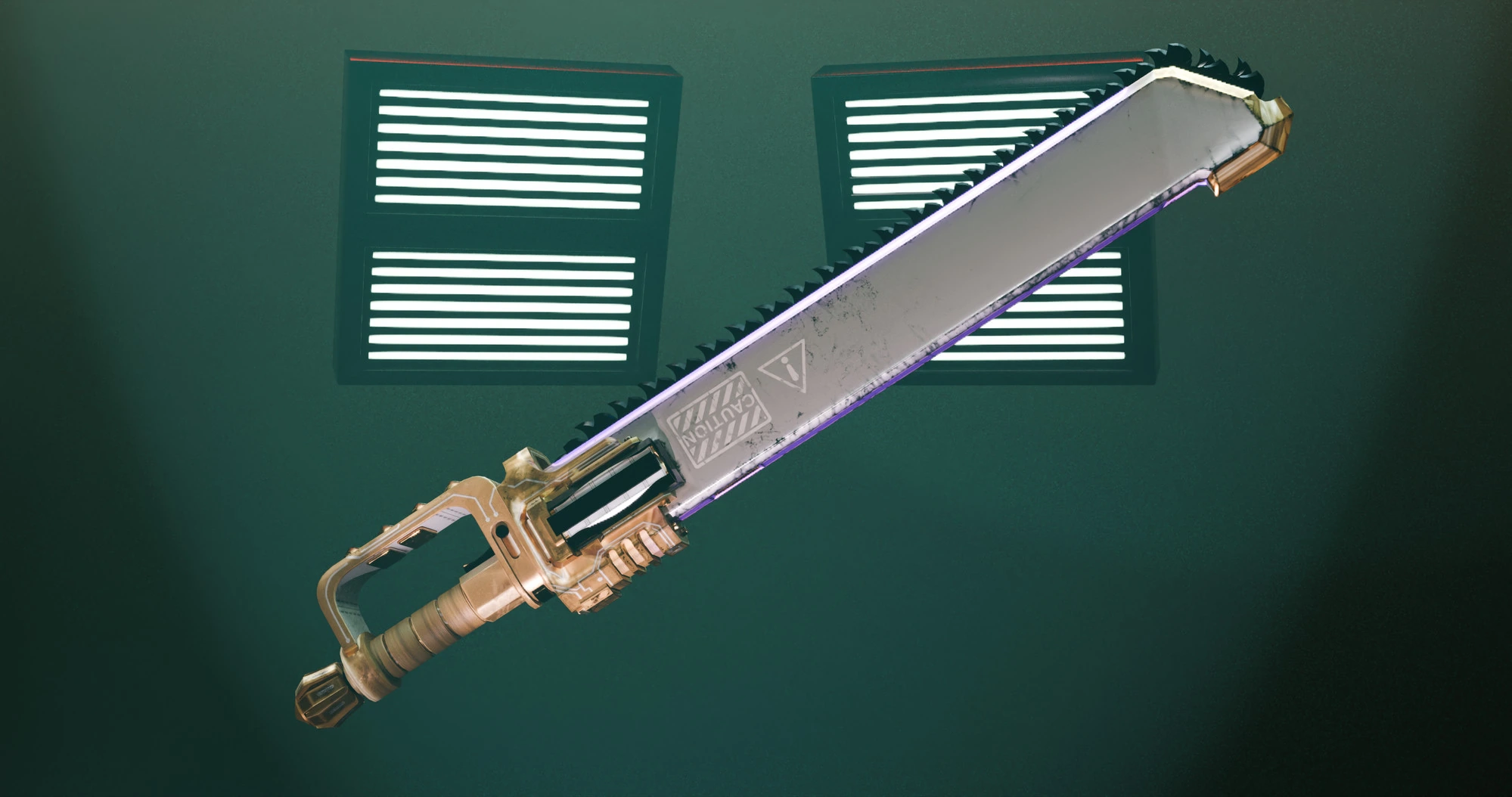
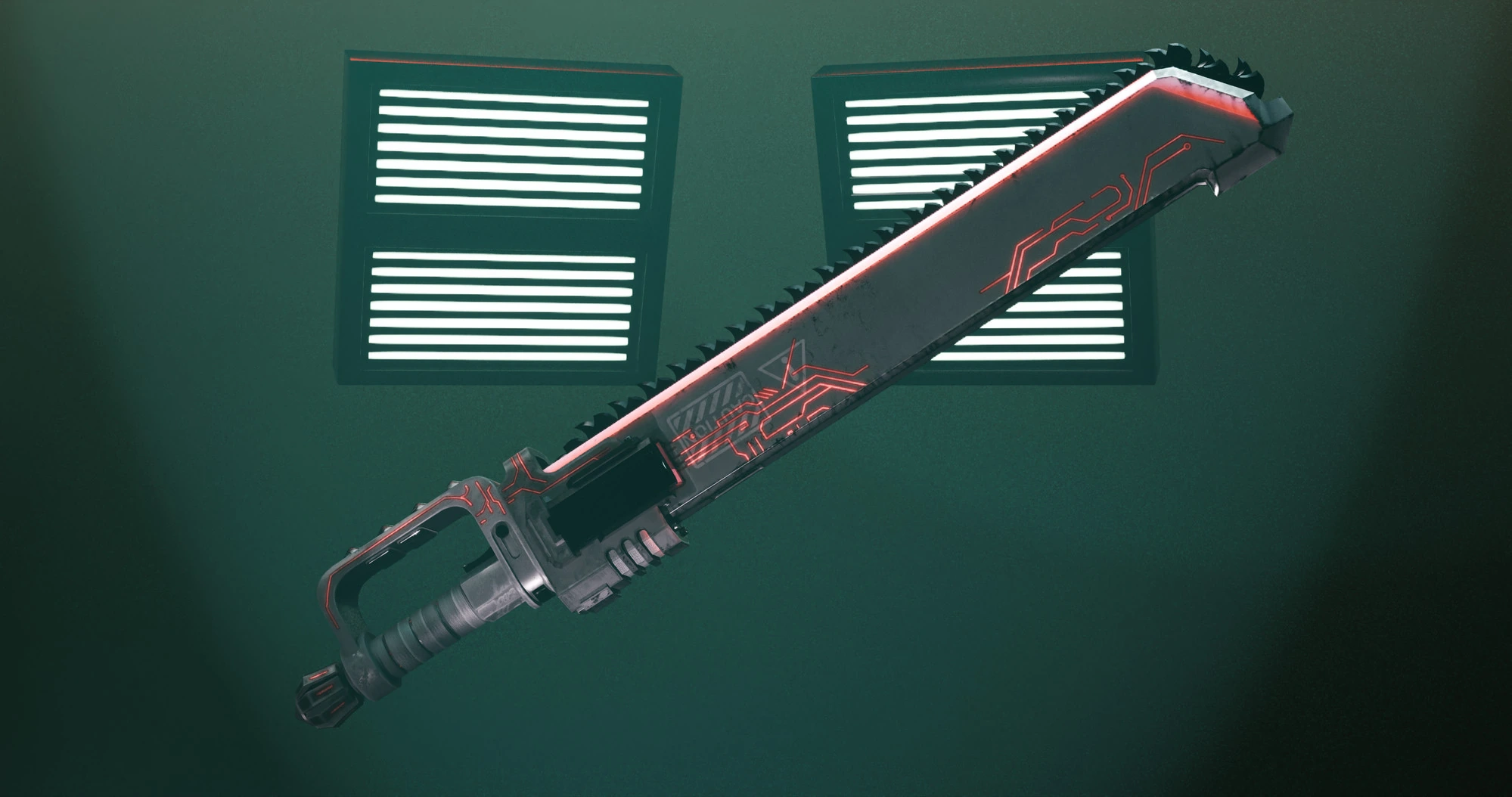
 Made in Blender
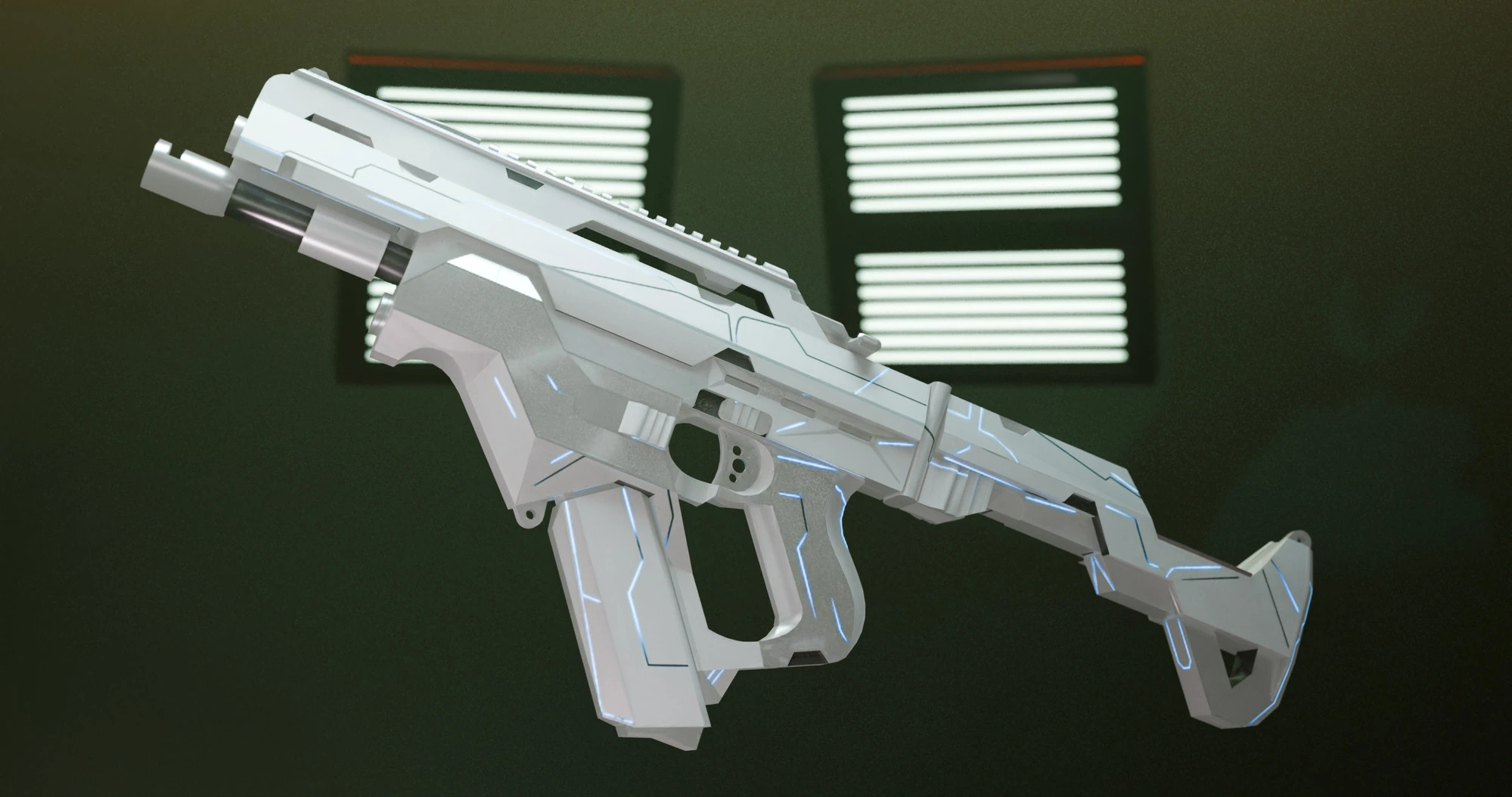
“Satin platinum alloy with a silver tech-pattern inlay and white leather grip.”
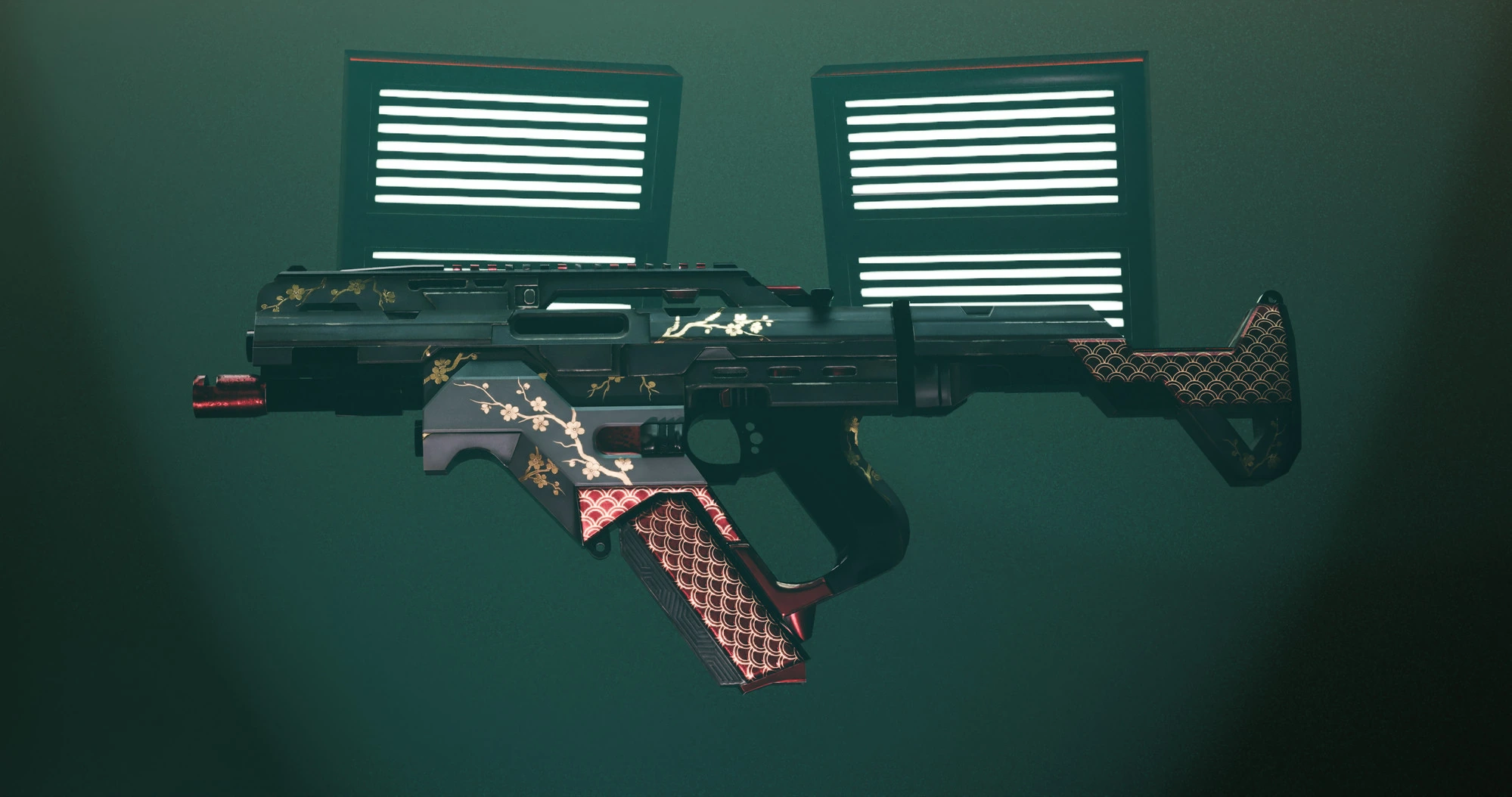
Cold-Start: the mesh arrived with no texture — just a baked AO map (that white base above). From zero, ReskinIT generated four full-PBR loadouts, including the platinum variant's glowing emission map.
 Emission map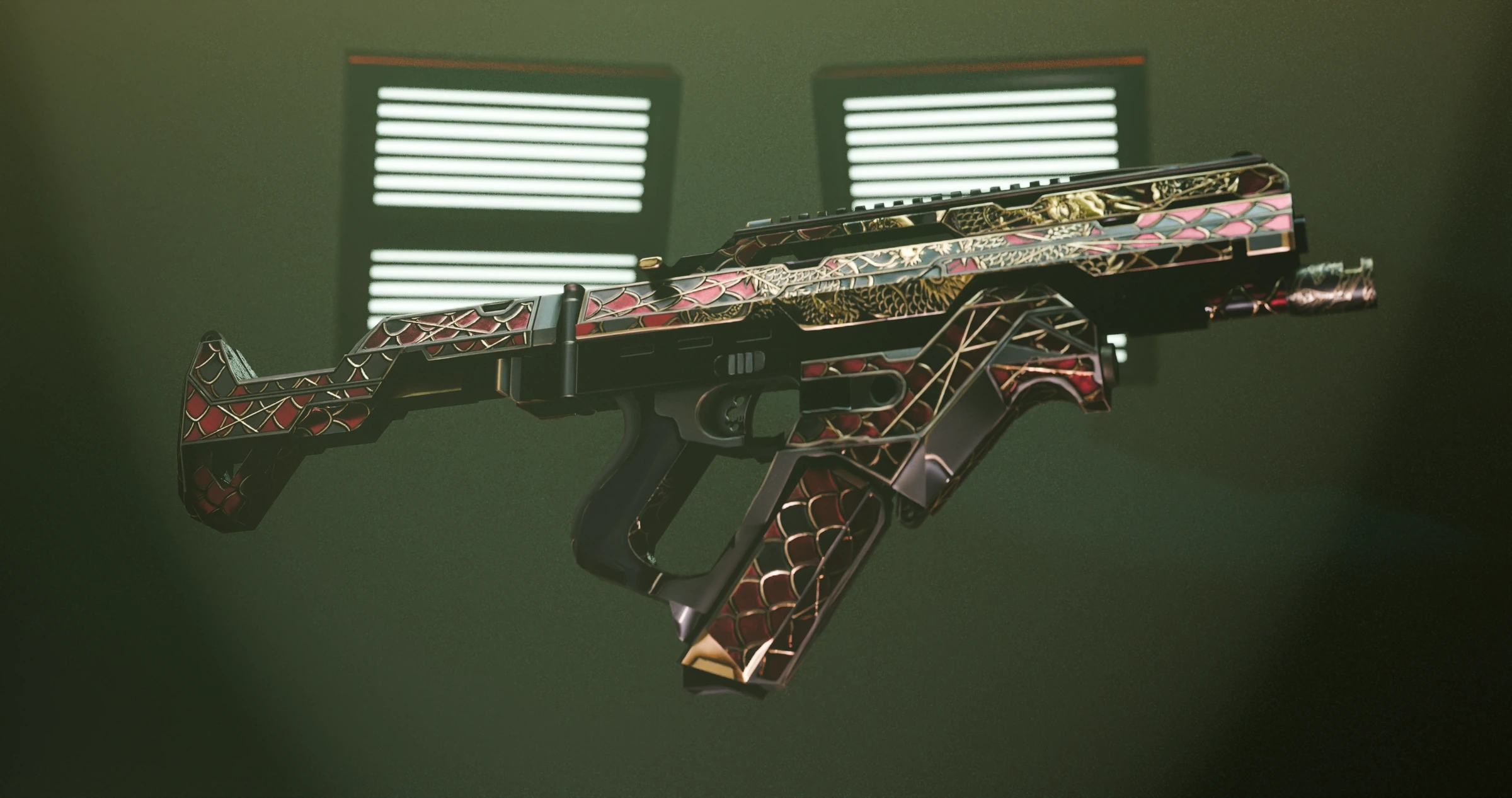
 Made in Blender
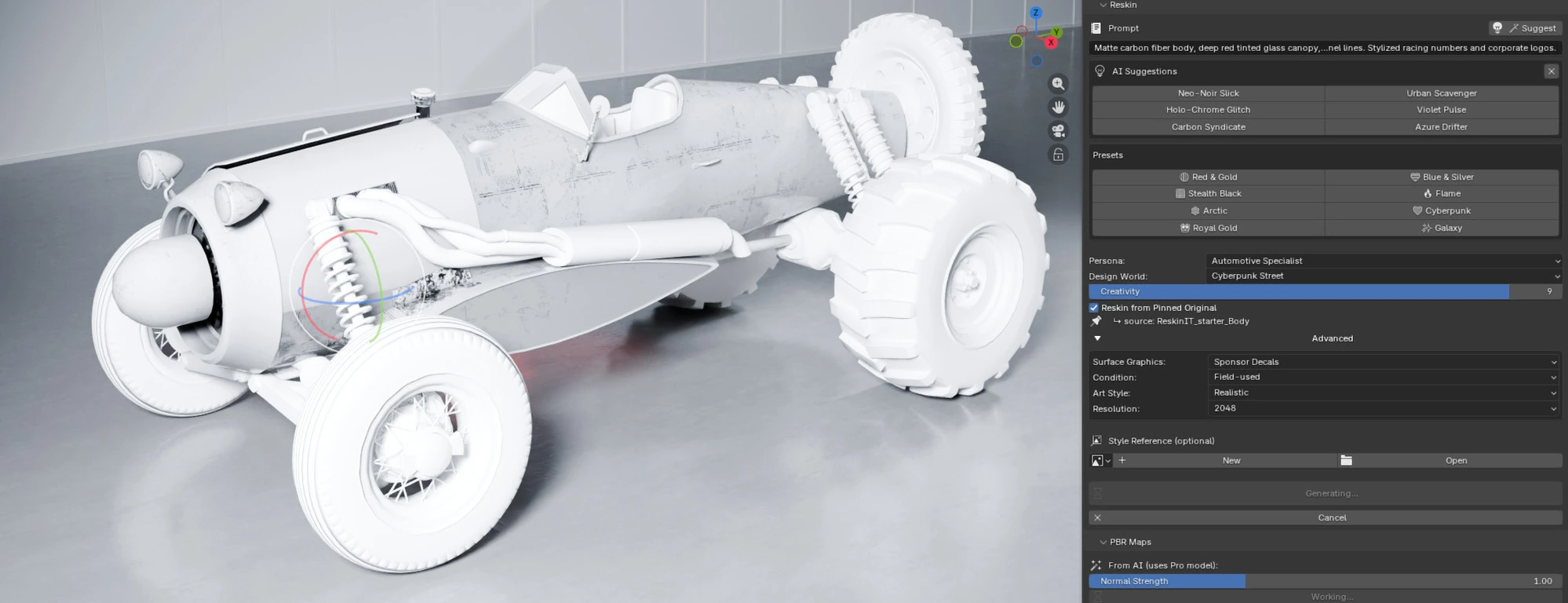
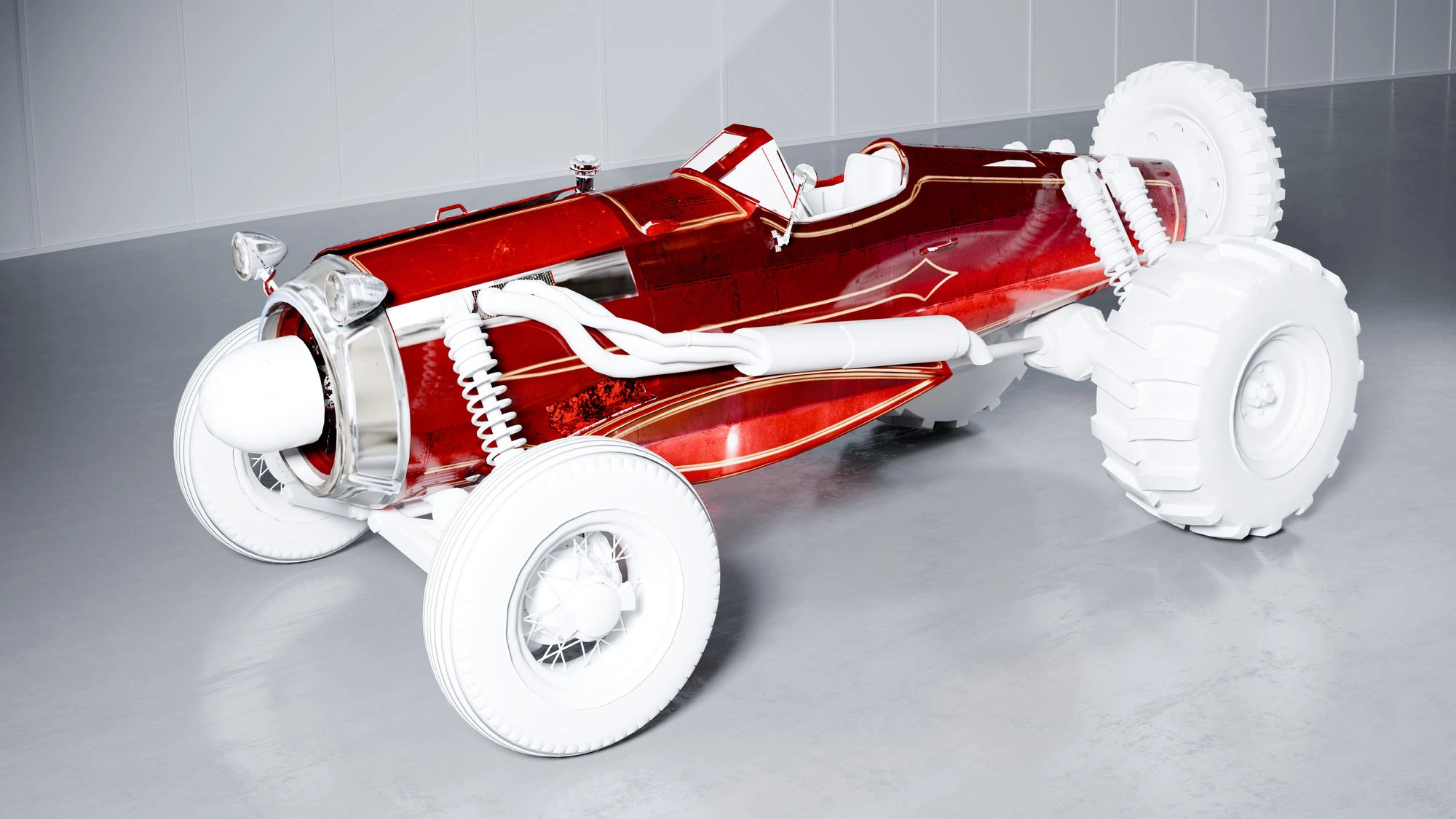
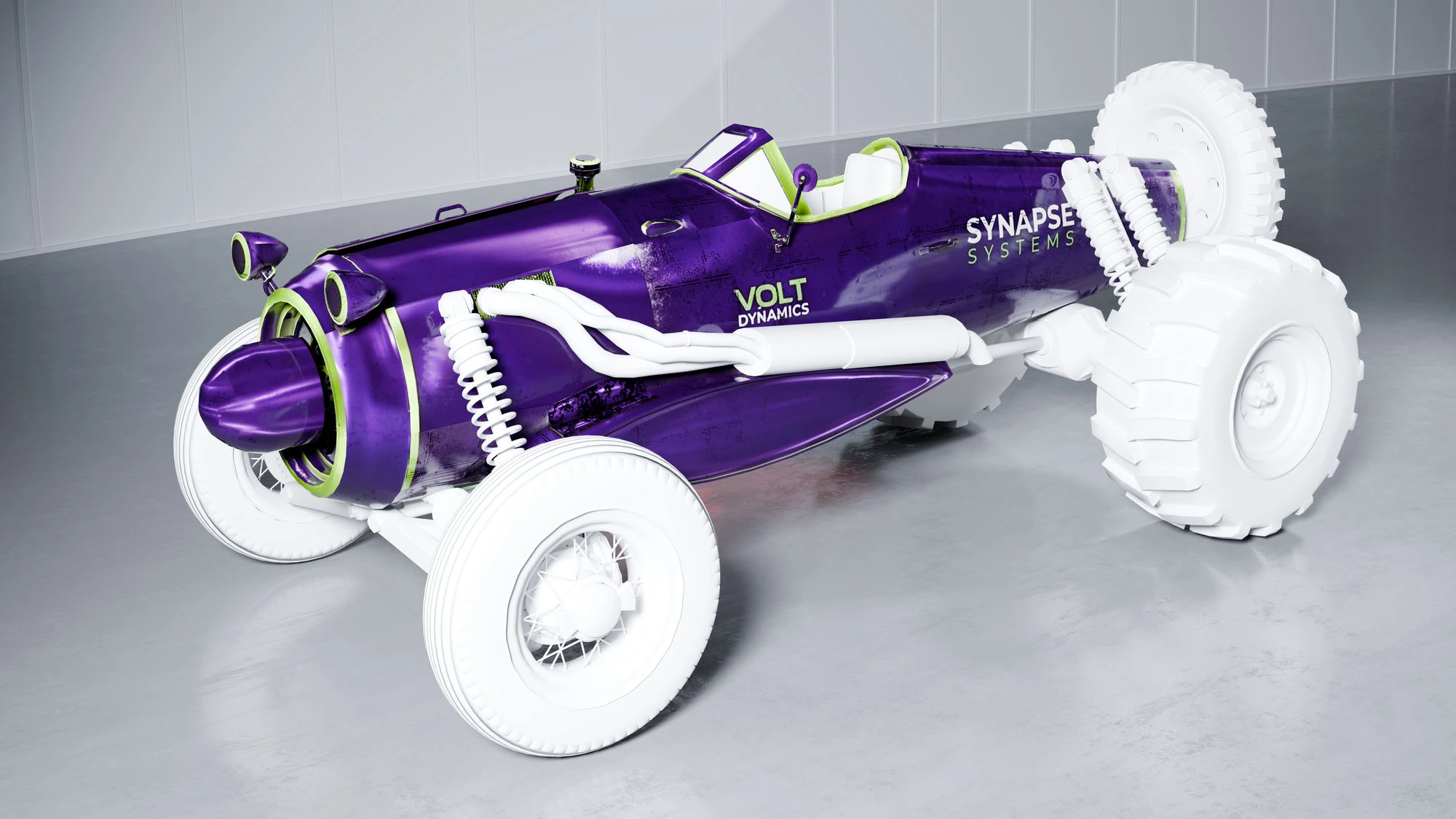
“Matte carbon-fiber body, deep red tinted glass canopy, panel lines. Stylized racing numbers and corporate logos.”
Cold-Start from a neutral starter body — and only the body submesh was reskinned (note the untouched white wheels). Full PBR from the Pro model, complete with sponsor decals and racing numbers.
 Sponsor decals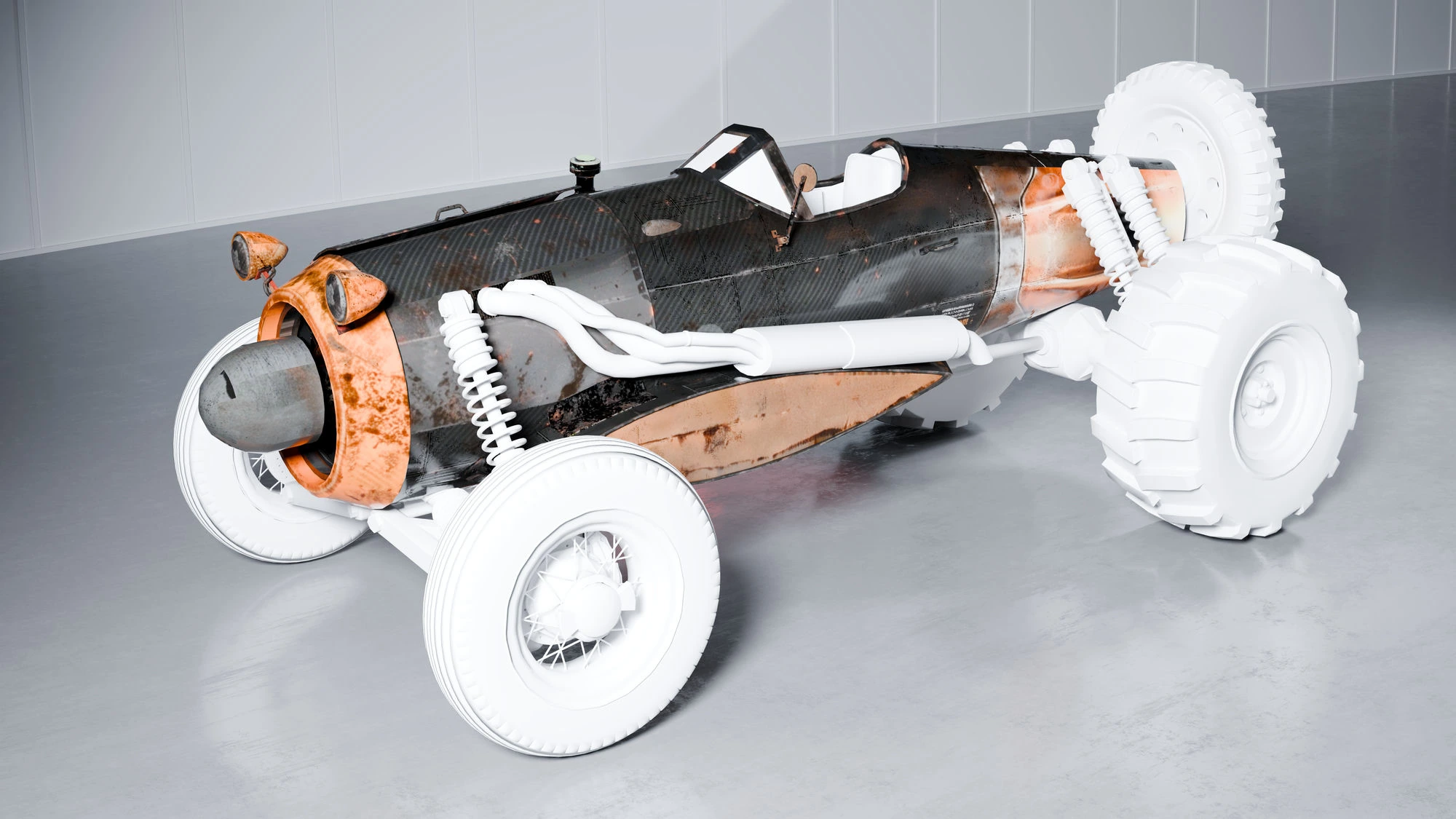
 Made in Blender
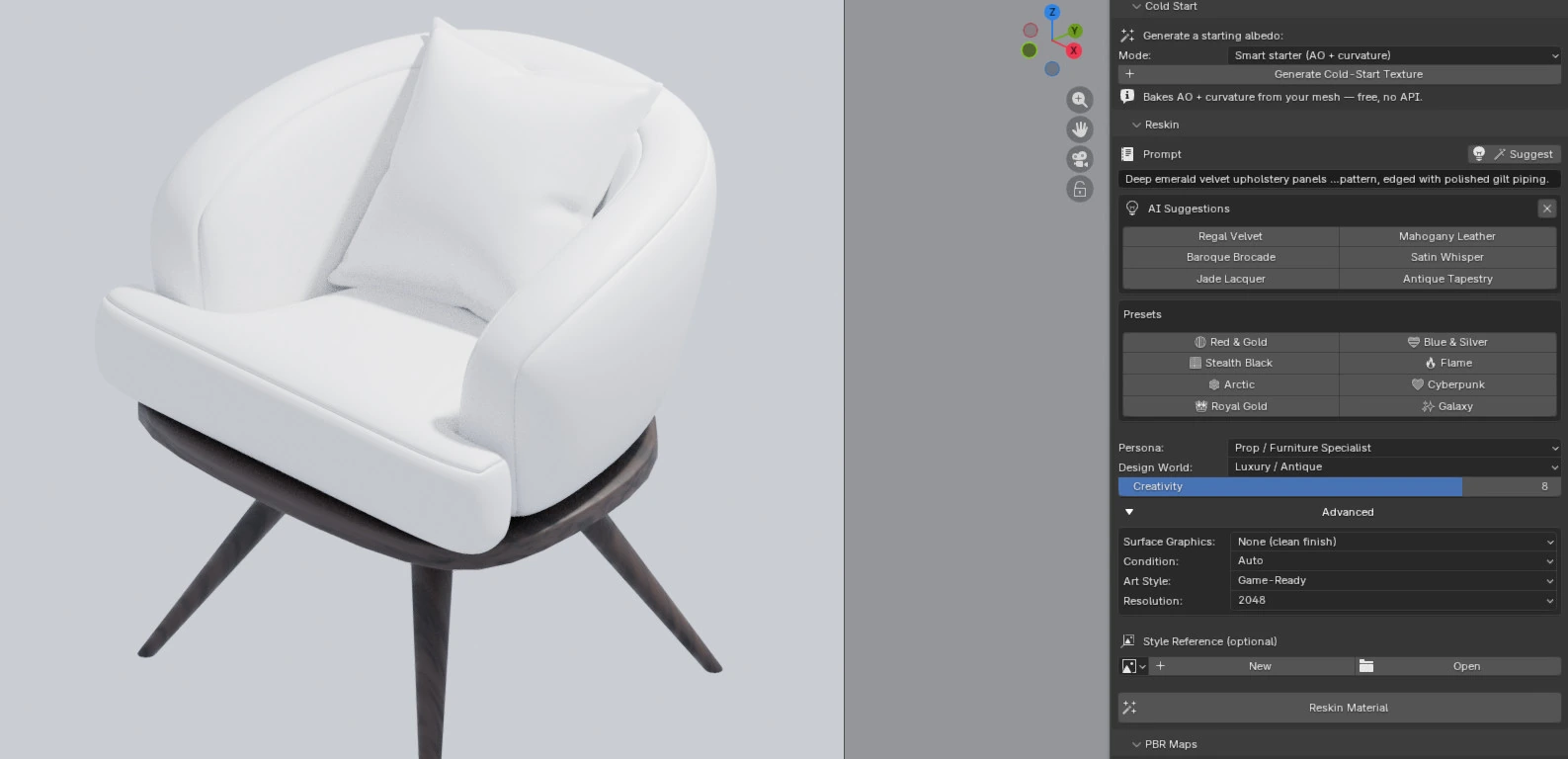
“Deep emerald velvet upholstery panels with a damask pattern, edged with polished gilt piping.”
Cold-Start with the Smart starter — AO + curvature baked free from the mesh (no API), then reskinned across leather, tweed and velvet on one chair.
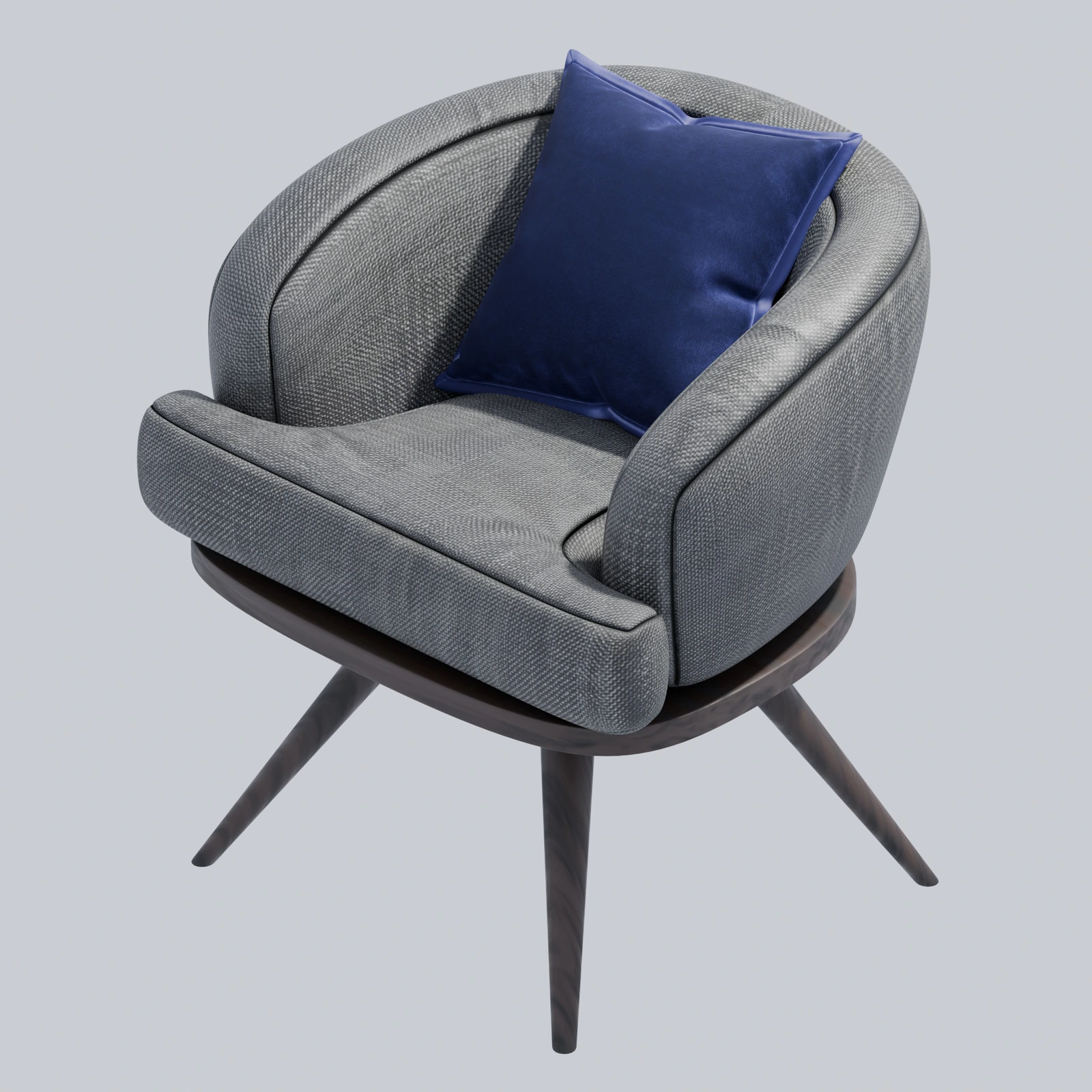
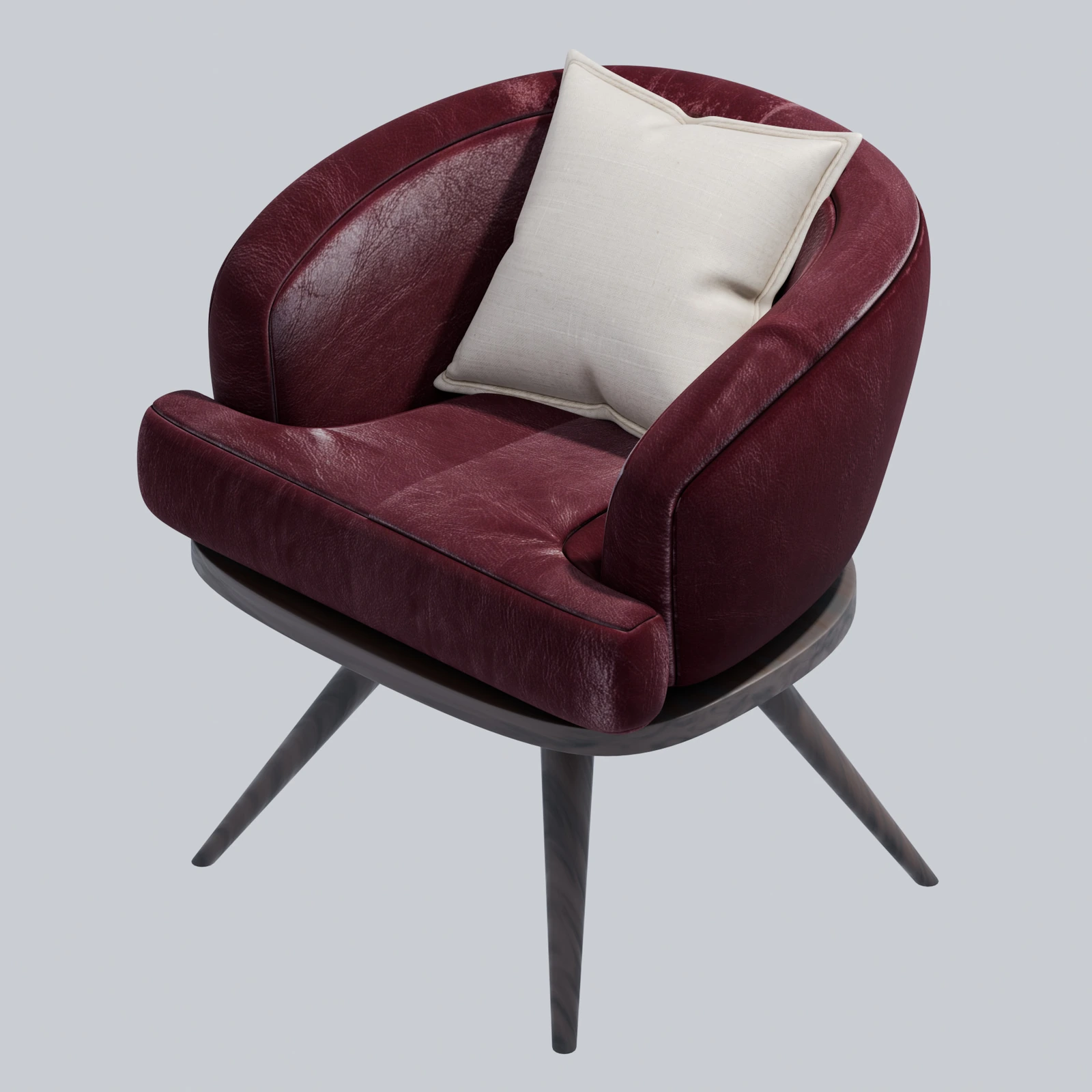
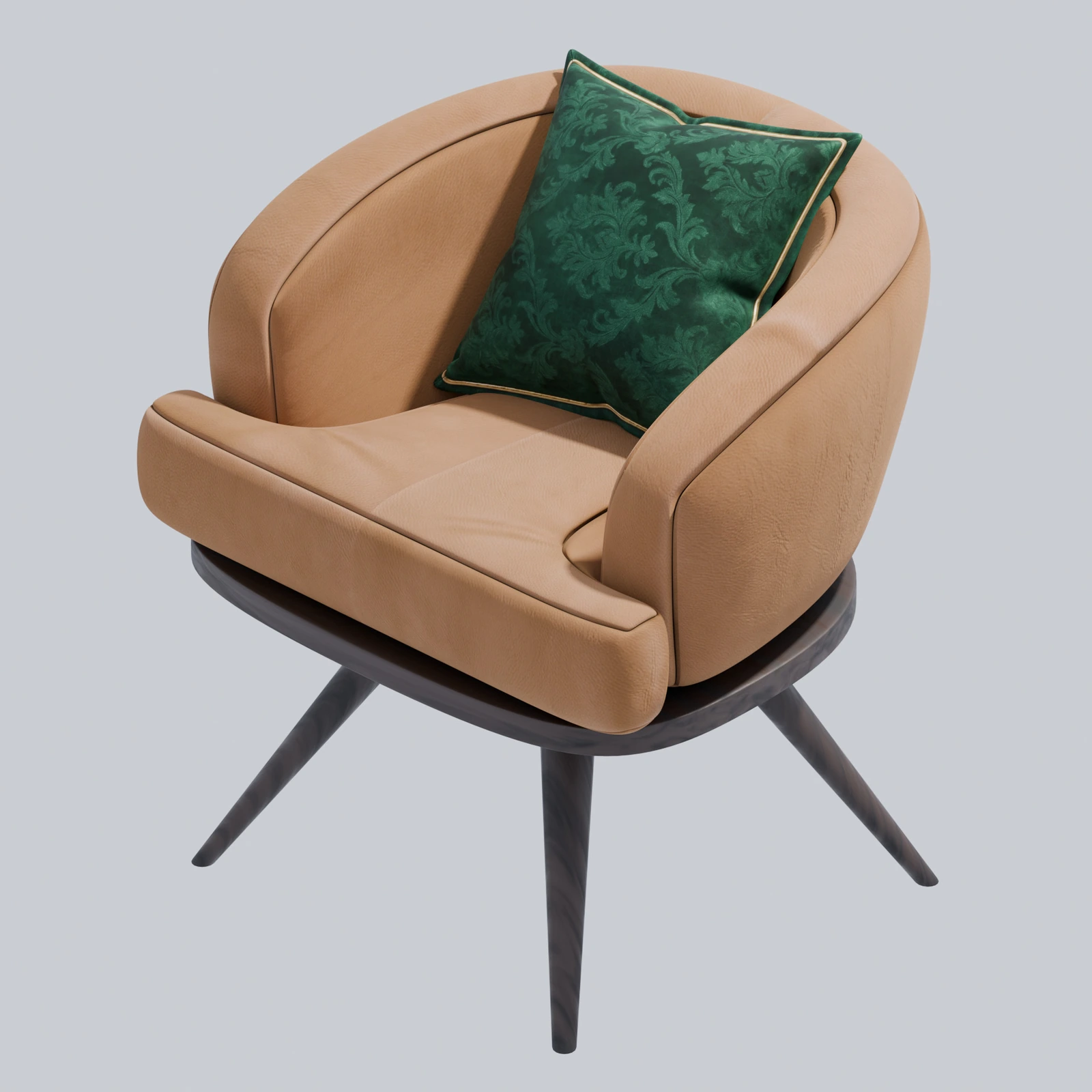
Every asset above is the same untextured mesh reskinned through ReskinIT for Blender.
TWO HOSTS, ONE BRAIN
PICK YOUR
ENGINE.
Same Gemini-powered AI pipeline. Native inside the tool you already use — not a generic web app you have to round-trip through.
UNITY
- Texturer Mode — Unity exclusive
- Reskin Mode (also on Blender)
- Native PBR map generation (Color / Normal / Emission)
- Sub-mesh batch targeting
- Variant gallery + persistent history
- URP / HDRP / Built-in pipelines
BLENDER
- Cold-Start Mode — Blender exclusive (AO + curvature bake)
- Reskin Mode (also on Unity)
- Native Blender add-on (own N-panel)
- Same Gemini AI pipeline
- Pay-as-you-go — bring your own API key
FULL PIPELINE READY UNITY
FAST BRP OUTPUT
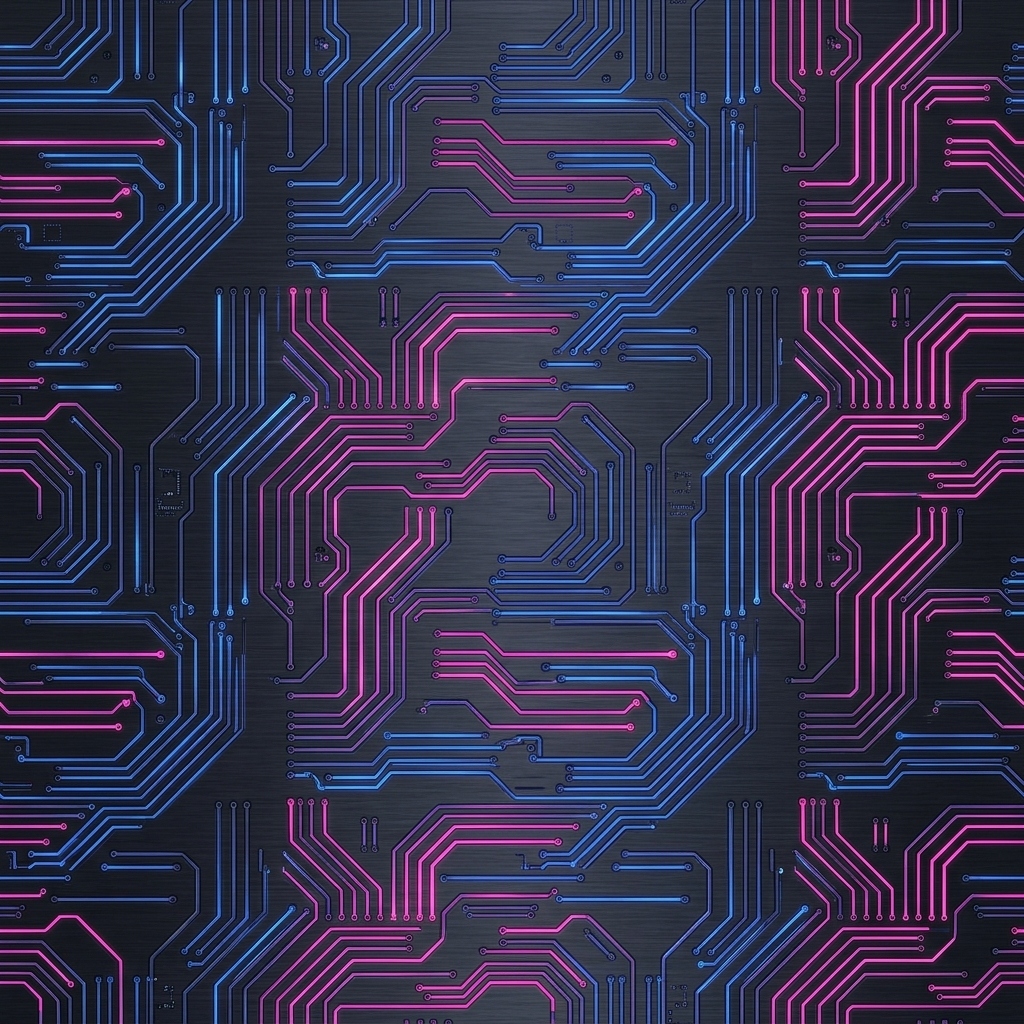
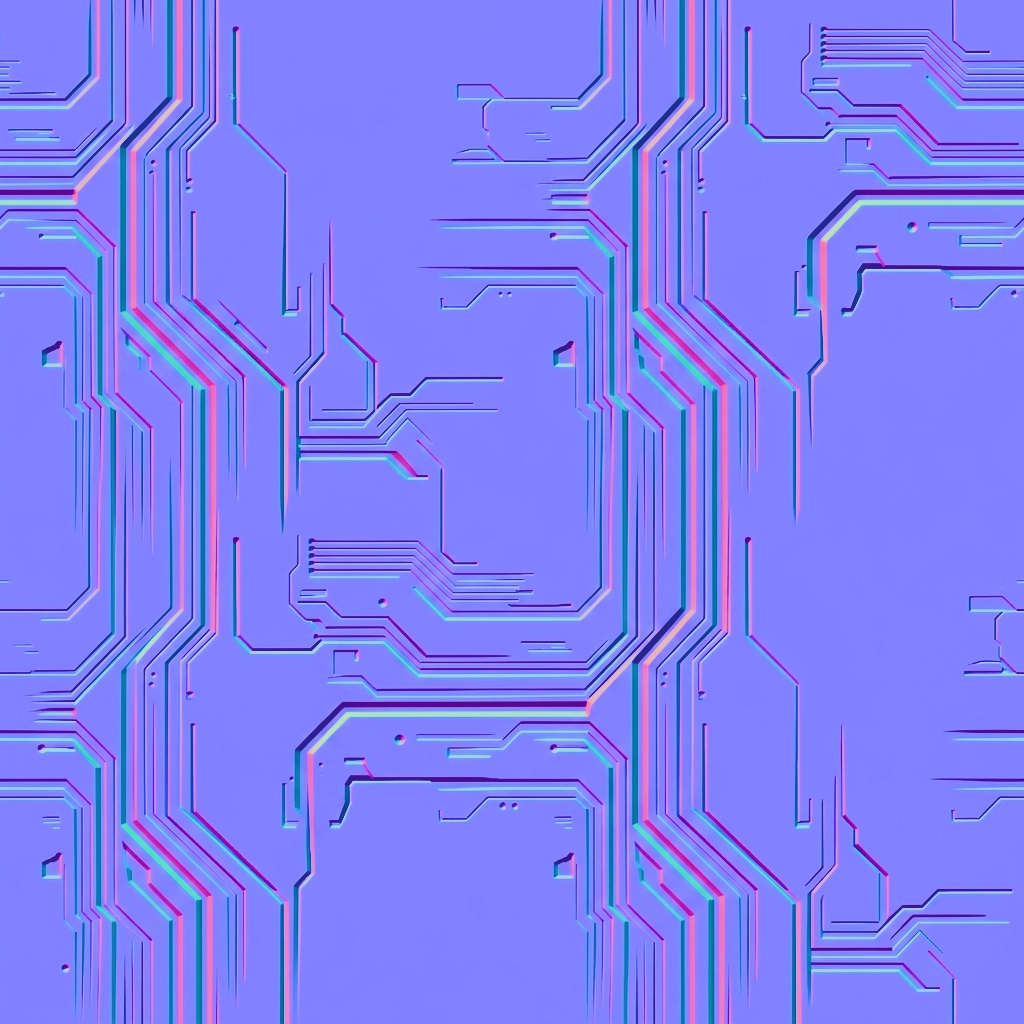
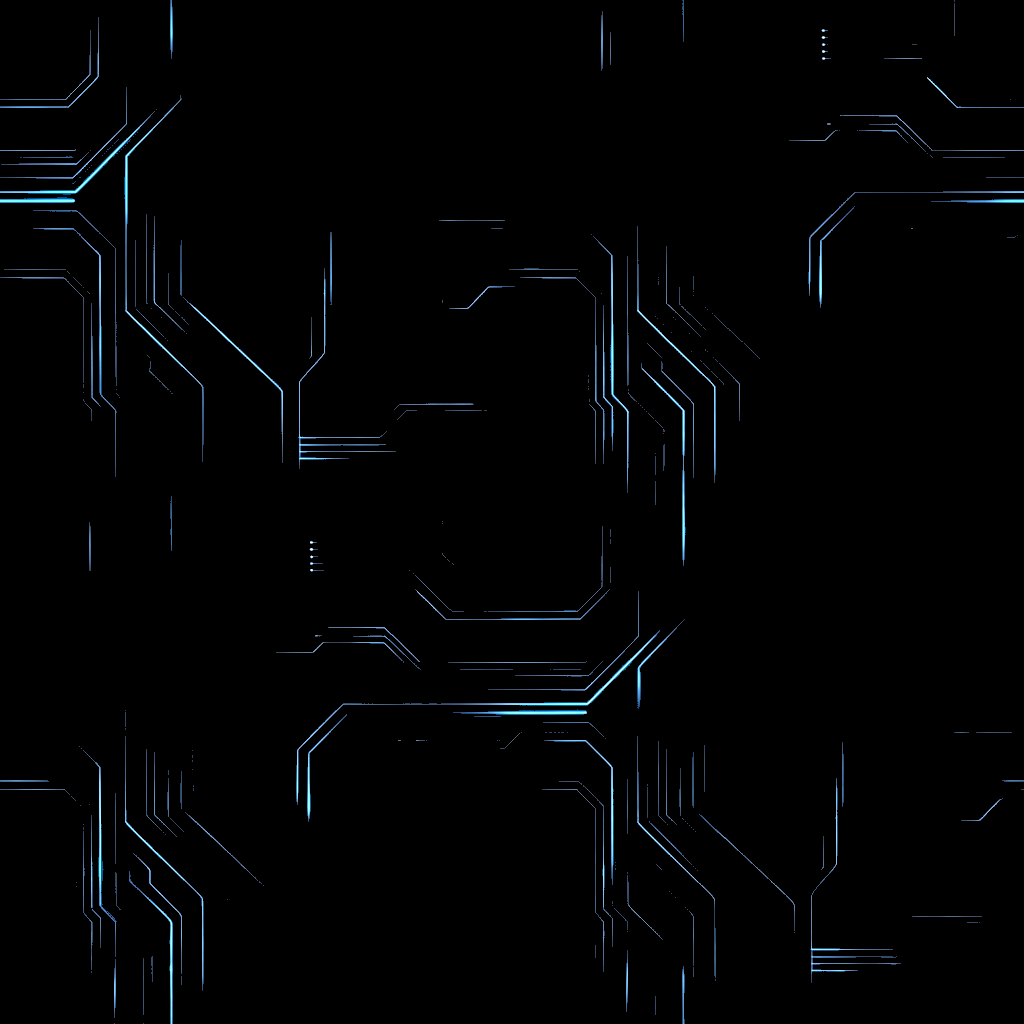
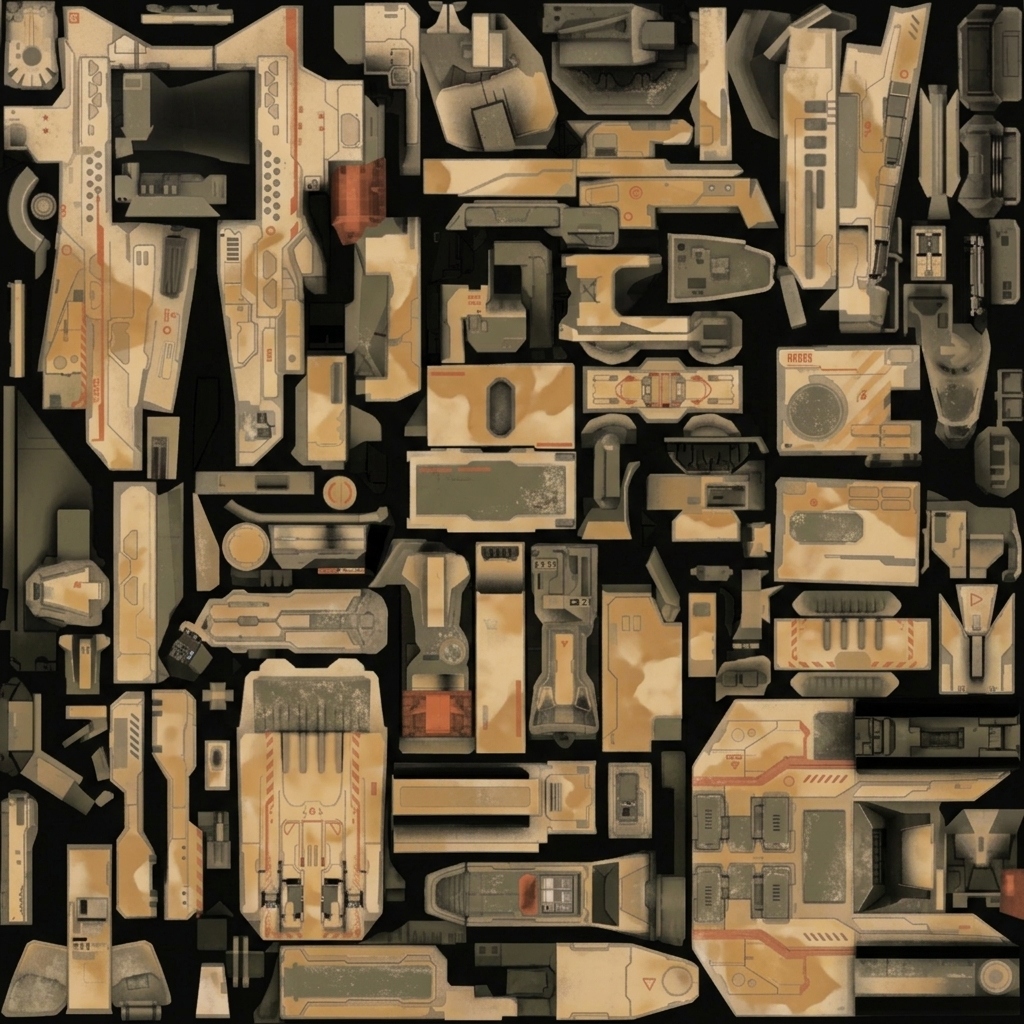
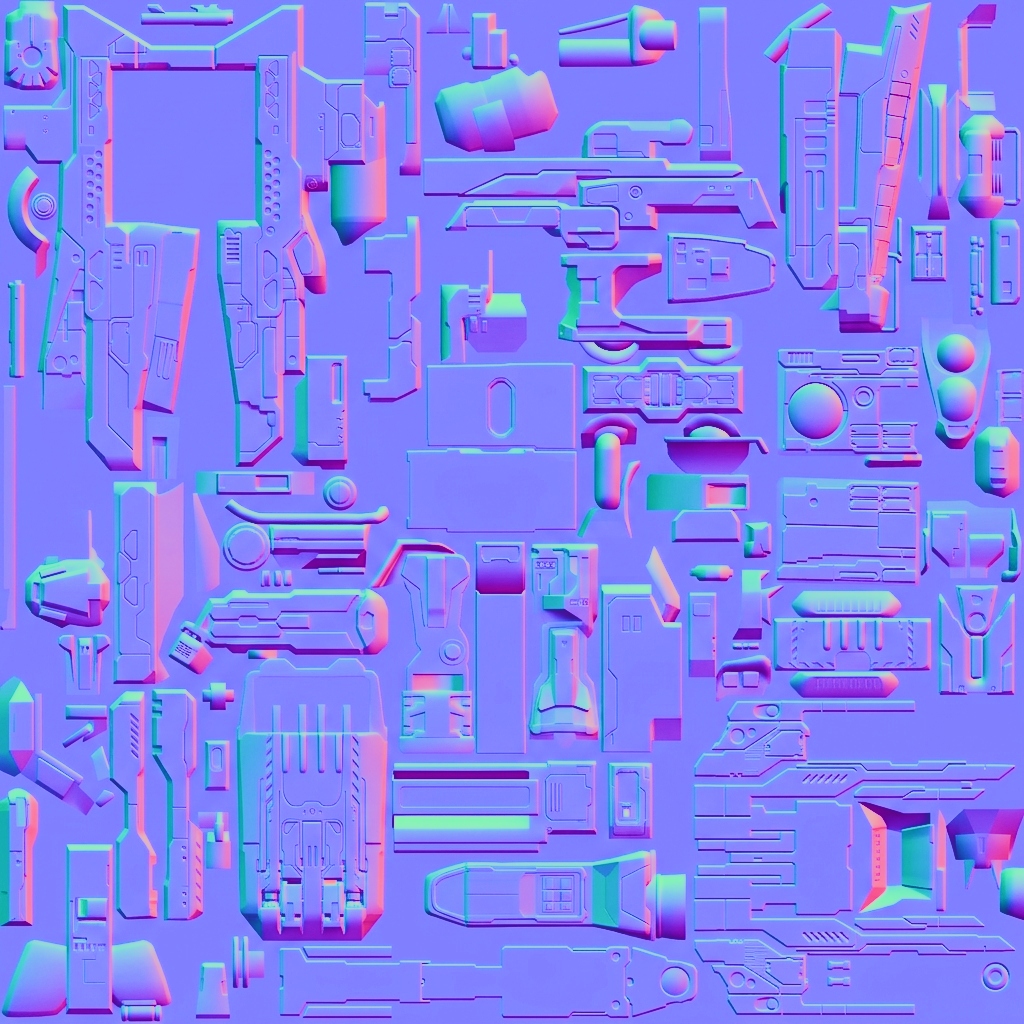
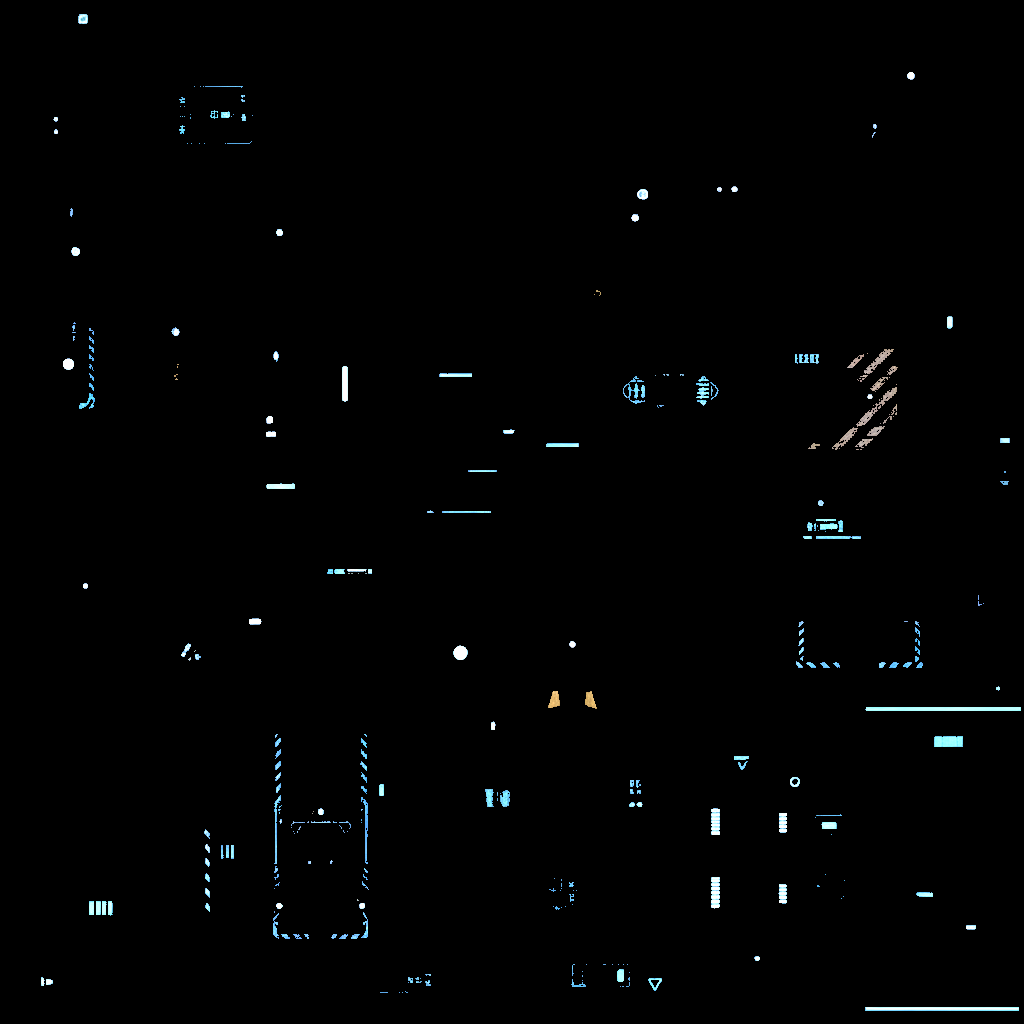
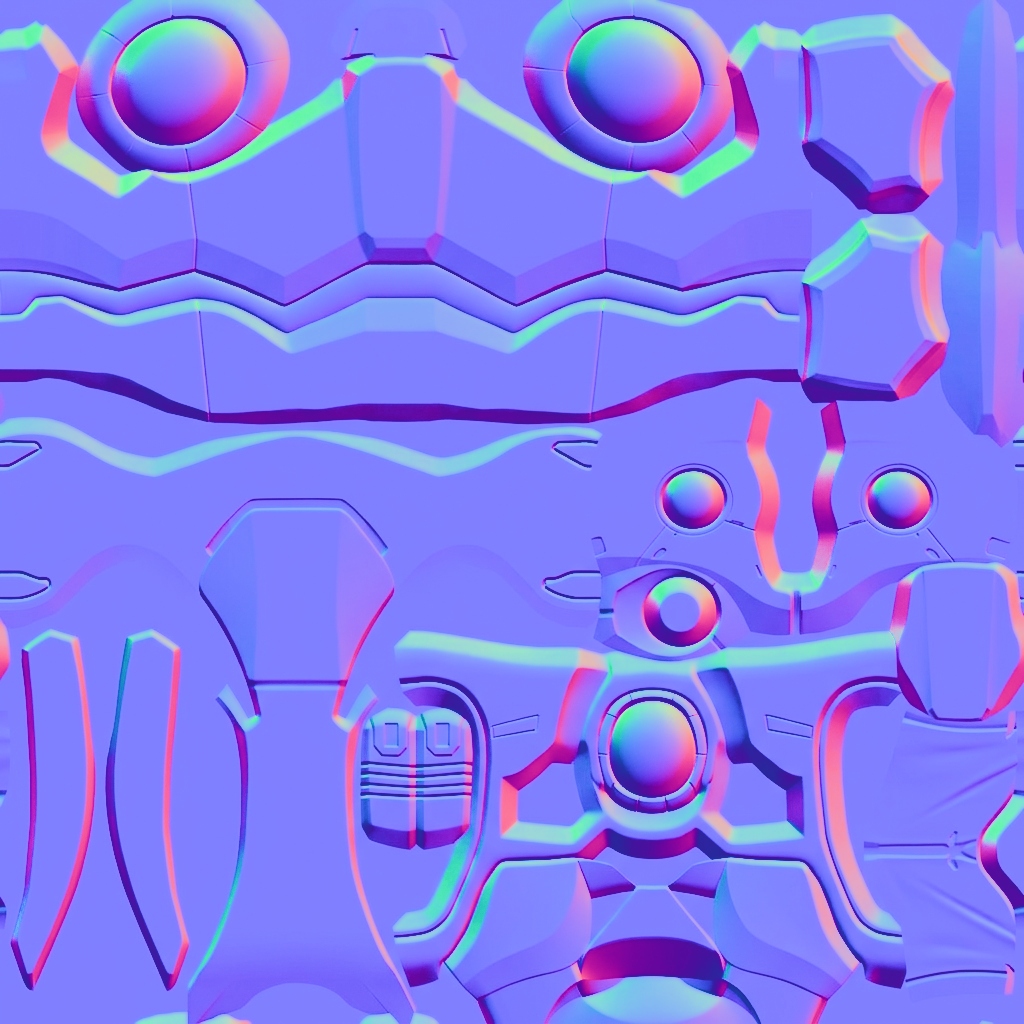
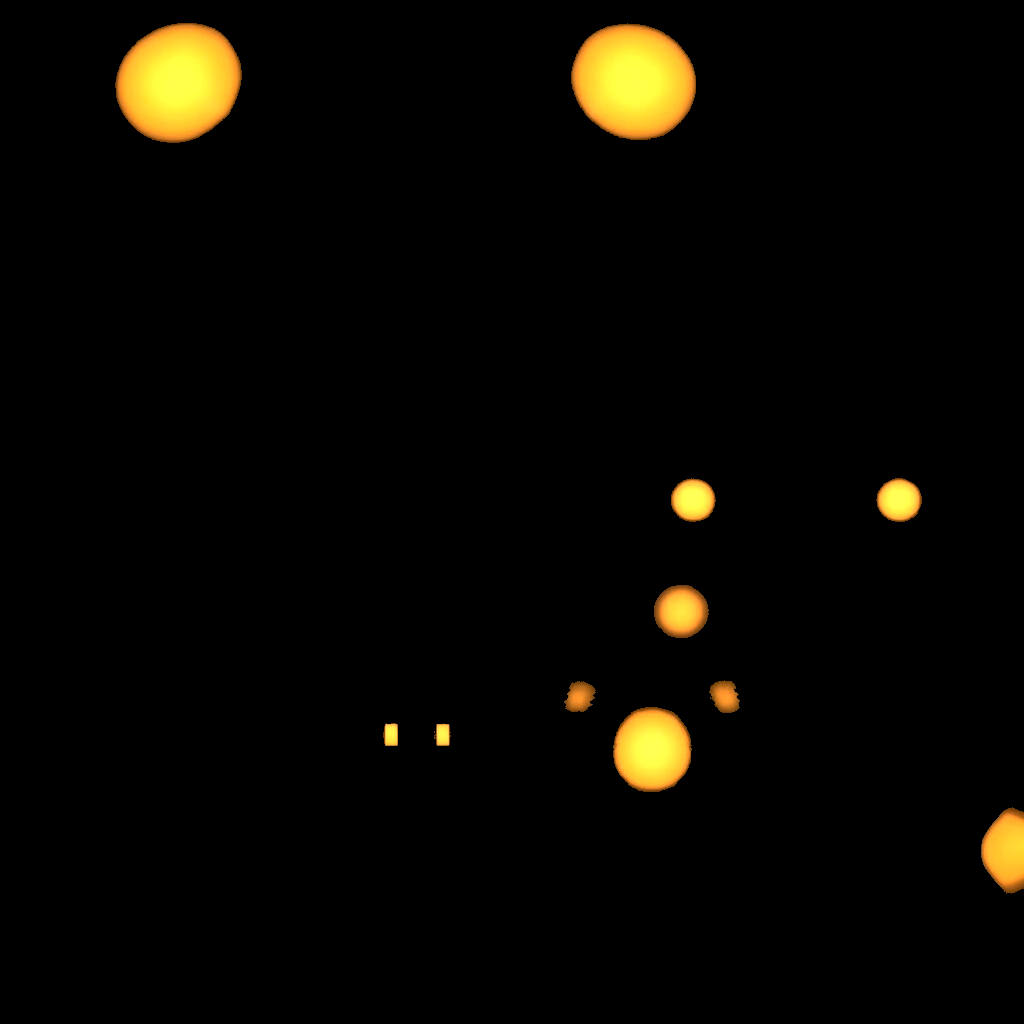
ReskinIT generates Base Color, Normal, and Emission as separate maps from a single Reskin prompt — each wired into its dedicated slot in Unity's standard PBR shader. Real surface depth lives in the normal map. Glow lives in the emission map. Your scene lighting drives the final look at runtime, not a single flattened texture.
Base Color (Albedo)
Pure color data without baked directional lighting.
Normal Map
High-fidelity depth vectors for dynamic engine lighting.
Emission Map
Isolated glow masks for neon, magical, or tech effects.
FULL PBR PIPELINE · AI-GENERATED BLENDER
METALLIC + ROUGHNESS.
NATIVE BLENDER PBR.
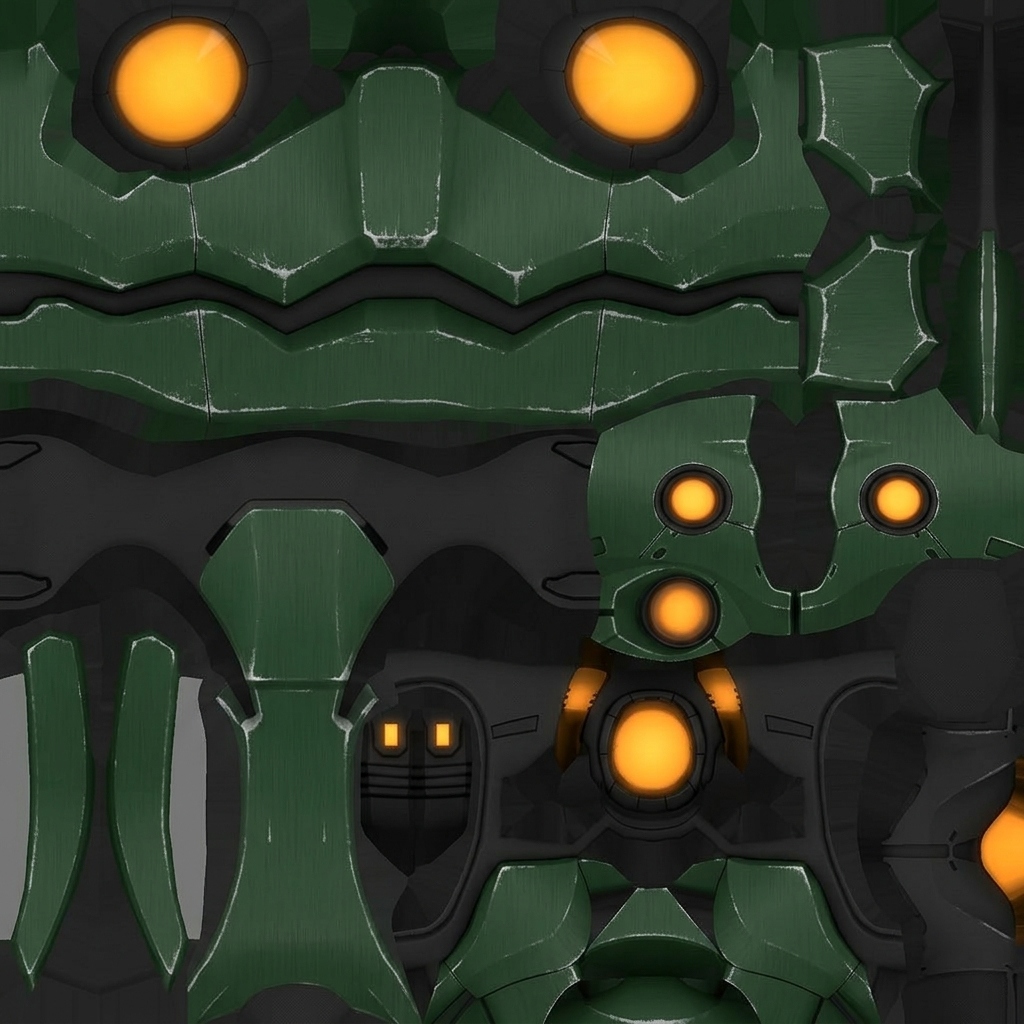
Beyond color and normals — the AI generates the entire map set, including dedicated Metallic and Roughness passes, auto-wired into the Principled BSDF. No manual node graph plumbing, no Substance round-trip.
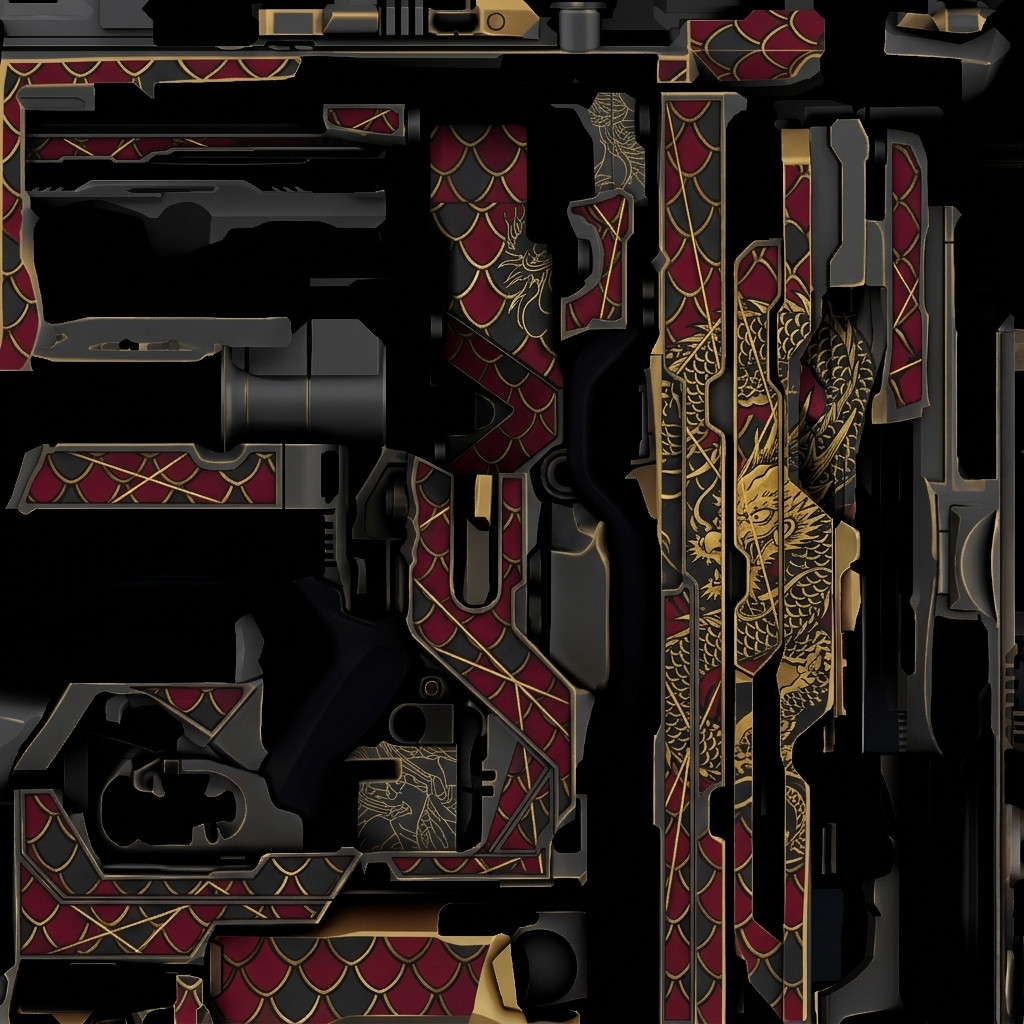
Base Color (Albedo)
Pure color data — feeds the Principled BSDF Base Color slot directly.
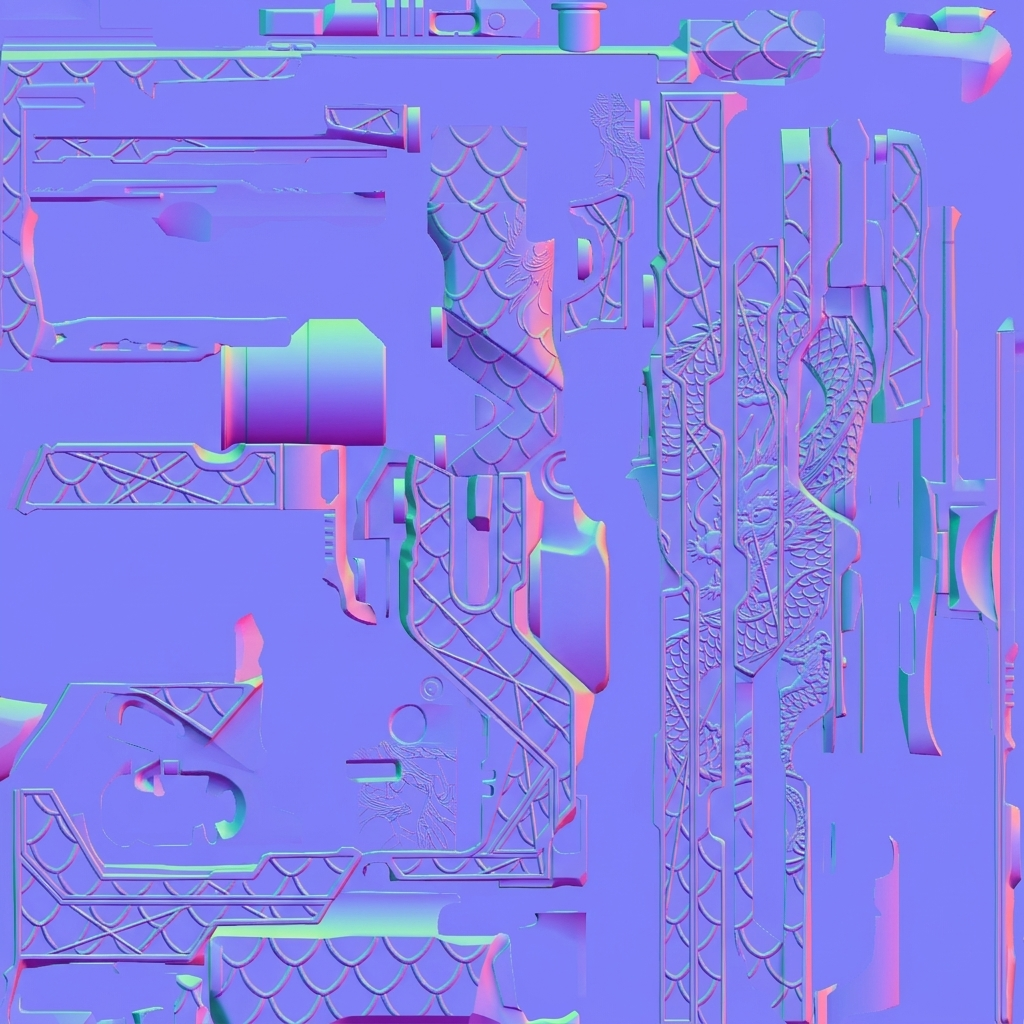
Normal Map
Tangent-space surface detail wired straight into the shader's Normal input.
Metallic Map
AI-derived metal mask — drives the Metallic slot for clean PBR conductors.
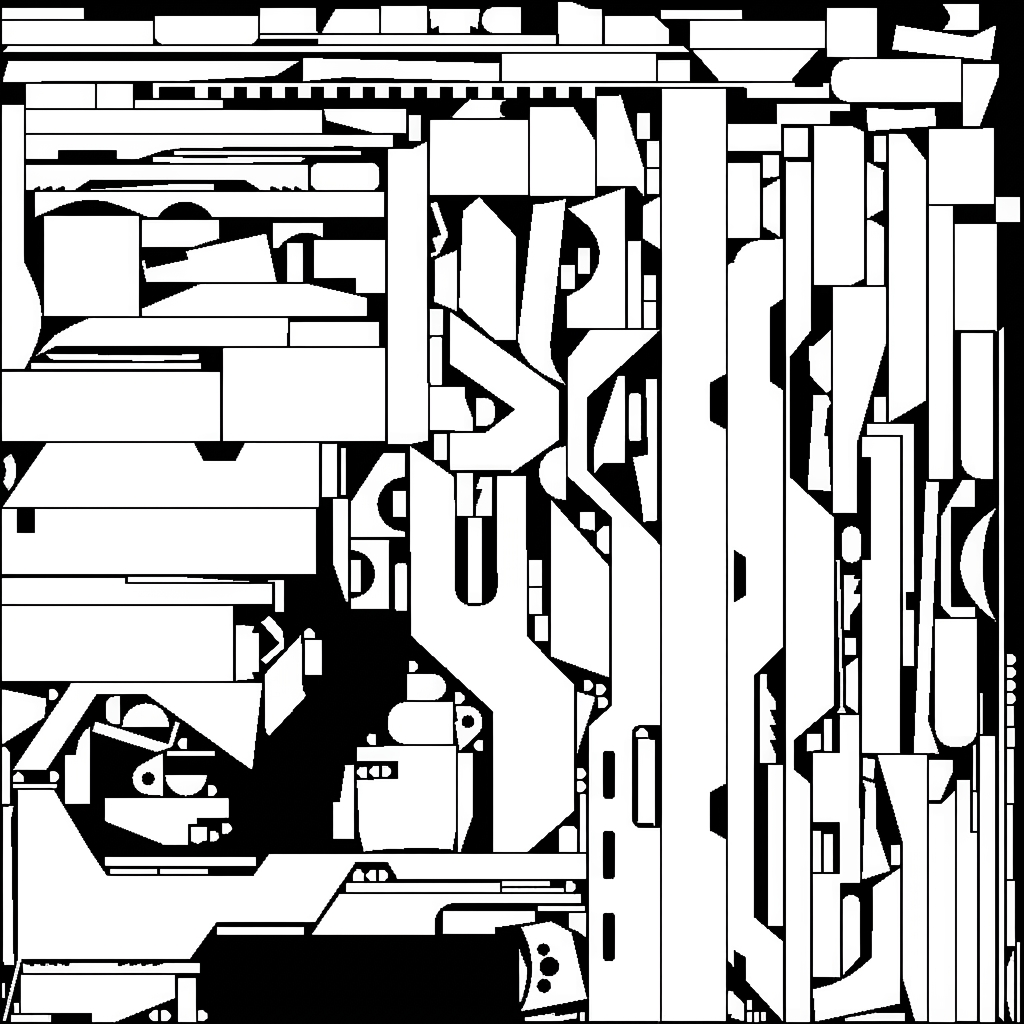
Roughness Map
Grayscale roughness map — controls how sharp or matte each surface reads under light.
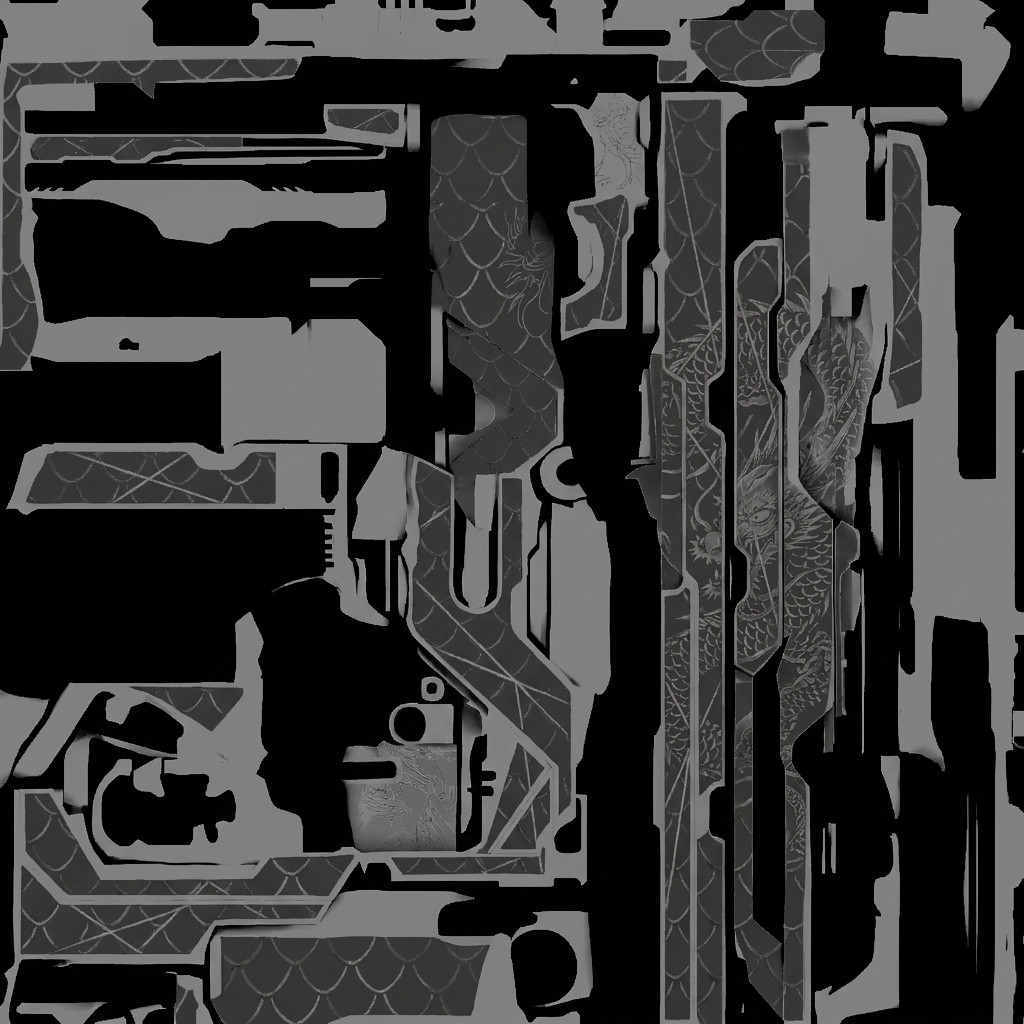
Emission Map
Isolated glow masks for neon, magical, or tech effects — wired to the Emission input.
The Engine Under the Hood (Unity)
1. Two Modes, One Studio
Your API key stays local—never touches our servers. Unlock Reskin Mode for wrapping new textures onto complex 3D meshes, and Texture Mode for generating seamless tileable materials from scratch.
2. Intelligent Mesh Detection
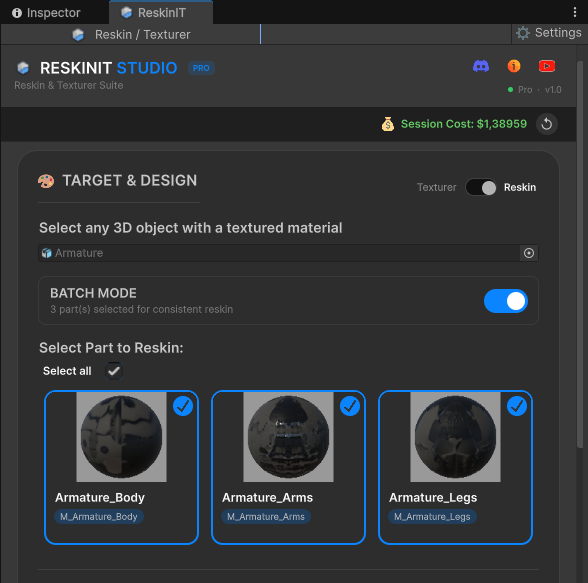
Pick any object in your scene. For multi-part characters, the tool auto-detects every sub-mesh—body, arms, legs—letting you redesign globally or isolate individual parts with surgical precision.
3. Precision Controls
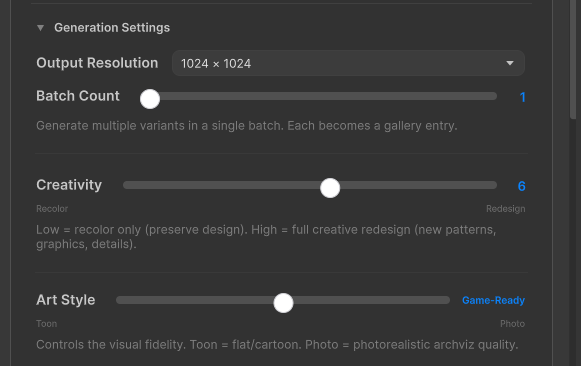
Two sliders, wide range. Creativity controls how far the AI deviates from your original geometry. Art Style pivots between photorealistic PBR and stylized cel-shading per generation.
4. Prompt-Driven Design
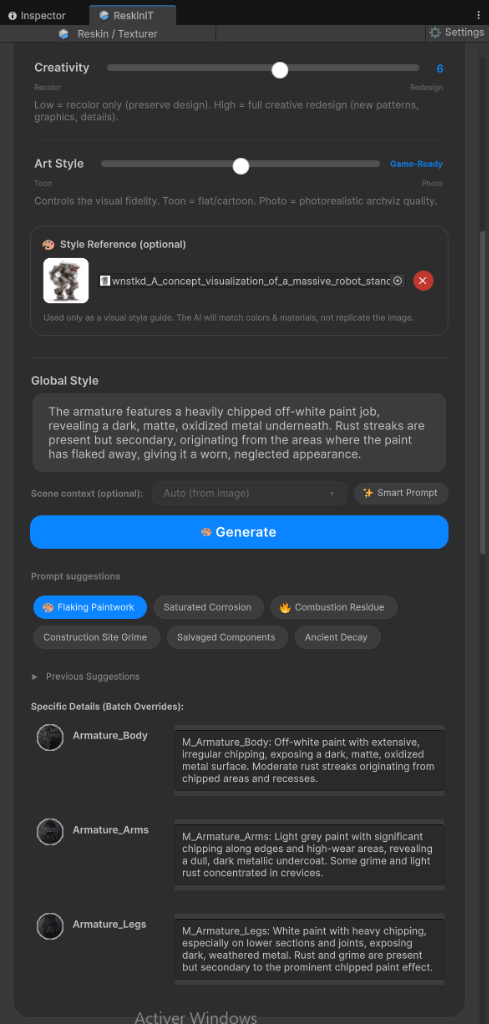
Describe exact materials, surface wear, and decals through natural language—or drop in a Style Reference Image to lock the AI onto a specific color palette and visual direction.
5. Smart Prompts & Batch Cohesion
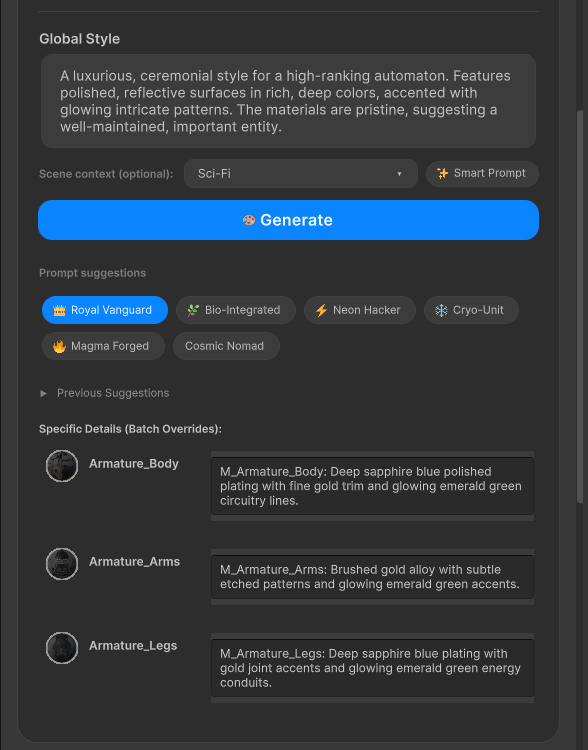
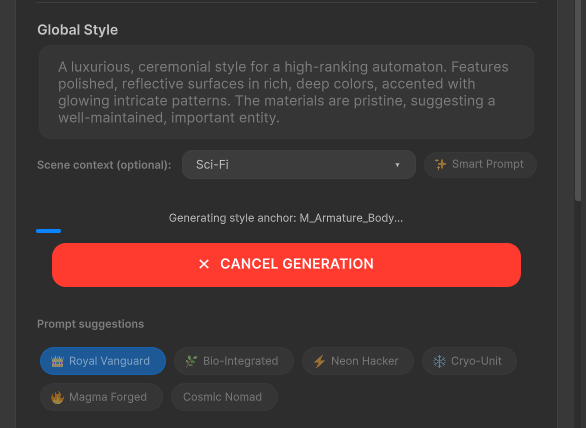
One-click Smart Prompts expand a short idea into a detailed material description in a single API call. In Batch Mode, the AI writes per-sub-mesh overrides — sapphire plating on the body, brushed gold on the arms, emerald accents on the legs — while keeping the character locked to a single unified design language.
6. One-Click Generation
Production-ready textures land directly on your model in the Scene view. Batch processing scales naturally with your mesh complexity—from a single prop to a full character rig.
7. Native PBR Maps
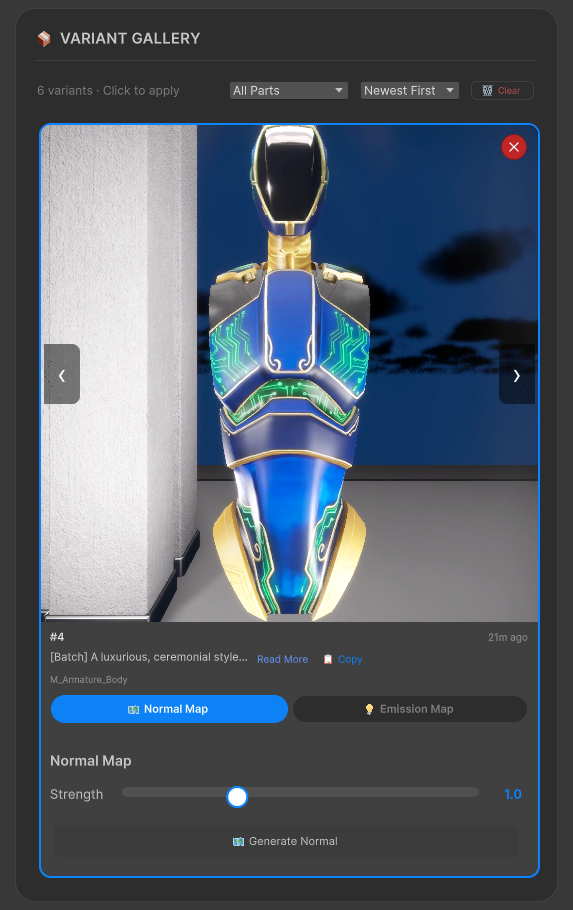
Go beyond flat color. Generate Normal Maps and Emission Maps directly from the Variant Gallery with adjustable strength and threshold controls. Every output plugs straight into Unity's material system—no external baking tools required.
8. Emission Map Generation
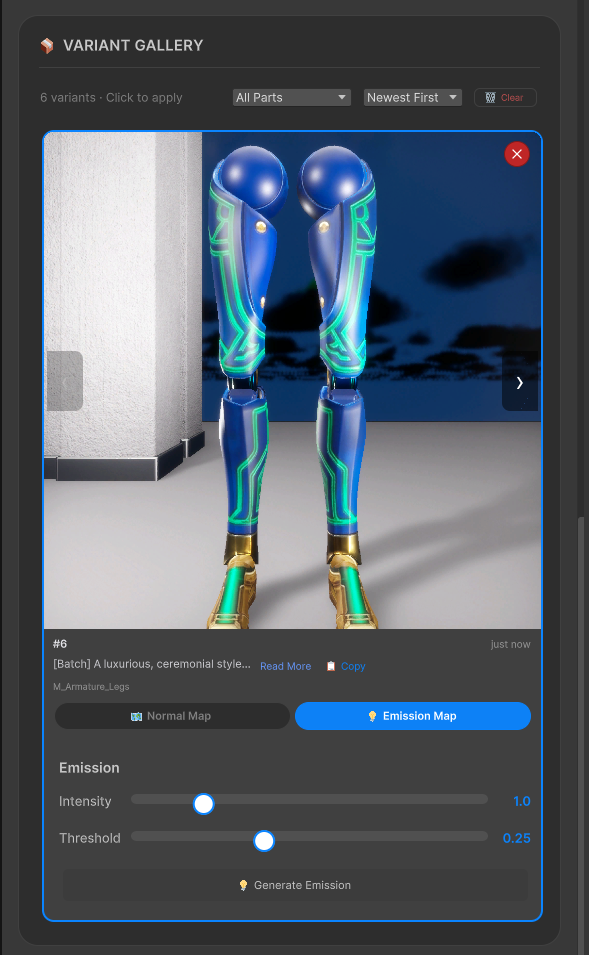
Light up your models. The Emission Map generator analyzes your variant's surface detail and extracts glowing elements—energy lines, indicator lights, circuitry—with tunable Intensity and Threshold controls for precise artistic control.
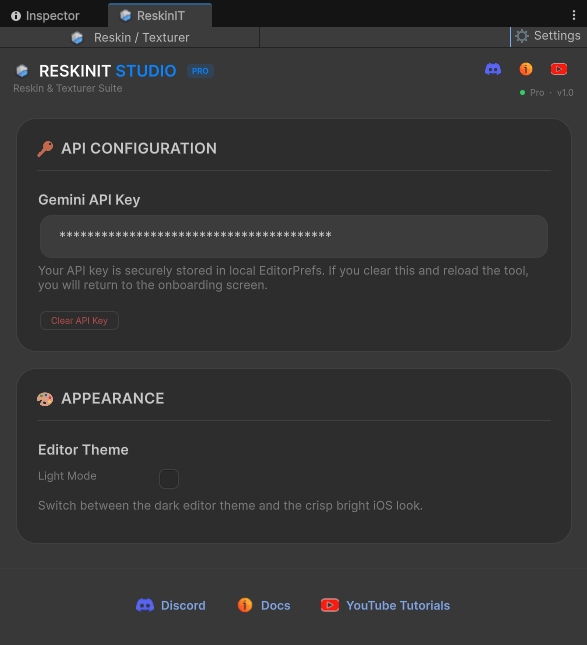
Your API key stays local—never touches our servers. Unlock Reskin Mode for wrapping new textures onto complex 3D meshes, and Texture Mode for generating seamless tileable materials from scratch.
Pick any object in your scene. For multi-part characters, the tool auto-detects every sub-mesh—body, arms, legs—letting you redesign globally or isolate individual parts with surgical precision.
Two sliders, wide range. Creativity controls how far the AI deviates from your original geometry. Art Style pivots between photorealistic PBR and stylized cel-shading per generation.
Describe exact materials, surface wear, and decals through natural language—or drop in a Style Reference Image to lock the AI onto a specific color palette and visual direction.
One-click Smart Prompts expand a short idea into a detailed material description in a single API call. In Batch Mode, the AI writes per-sub-mesh overrides — sapphire plating on the body, brushed gold on the arms, emerald accents on the legs — while keeping the character locked to a single unified design language.
Production-ready textures land directly on your model in the Scene view. Batch processing scales naturally with your mesh complexity—from a single prop to a full character rig.
Go beyond flat color. Generate Normal Maps and Emission Maps directly from the Variant Gallery with adjustable strength and threshold controls. Every output plugs straight into Unity's material system—no external baking tools required.
Light up your models. The Emission Map generator analyzes your variant's surface detail and extracts glowing elements—energy lines, indicator lights, circuitry—with tunable Intensity and Threshold controls for precise artistic control.
The Engine Under the Hood (Blender)
1. Persona: Who's Designing the Skin
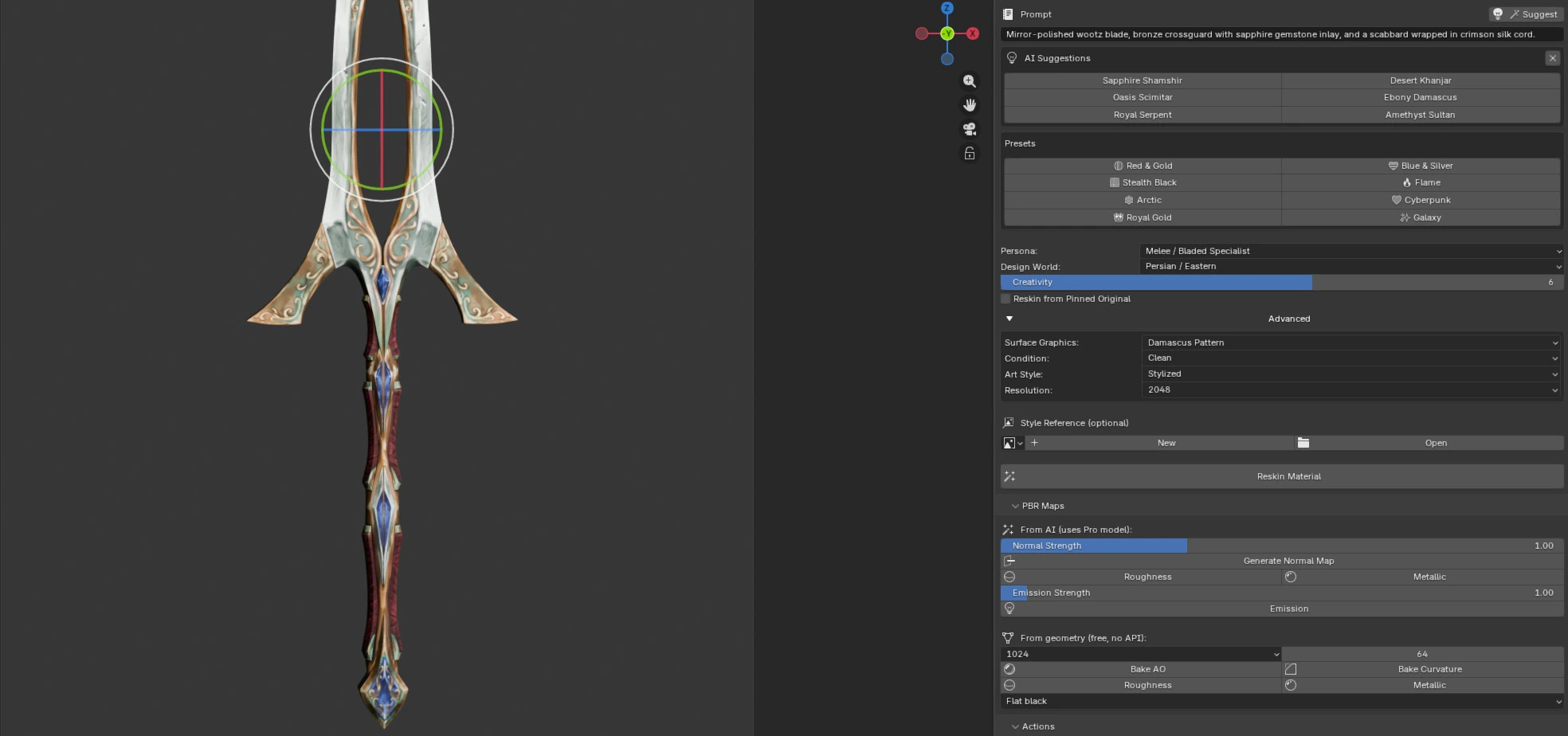
The Reskin panel docks into Blender's N-panel and reads your active object and material slot live. Type a prompt, hit Suggest for six short preset-style ideas, or load a one-click Preset. The headline control is the Persona — pick the specialist that matches your object and the entire suggestion engine reconfigures around its vocabulary. Thirteen in all: Generalist, Firearms, Melee/Bladed, Automotive, Motorcycle, Apparel/Costume, Armour, Mecha/Robot, Spaceship, Architecture, Nature/Terrain, Creature/Wildlife, and Prop/Furniture. Each one carries its own curated Design World list (persona-scoped era and genre) and its own Surface Graphics catalog — Generalist hides those extras, picking a specialist reveals them. Creativity sets how far from the original layout to push: recolor, redesign, or reinvent.
2. Condition: Wear & History
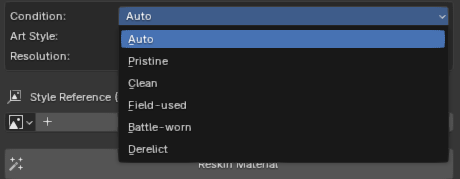
A universal axis that applies to every persona, controlling how lived-in the surface looks — independent of the design itself. Auto lets the AI decide; or dial in Pristine → Clean → Field-used → Battle-worn → Derelict. Pair a pristine finish with any design world, or grime up the exact same look — the two never fight each other.
3. Art Style: How It's Rendered
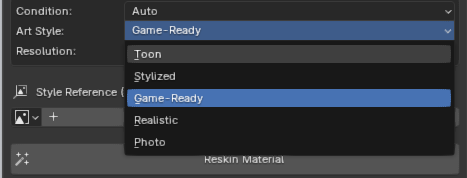
Controls the rendering treatment of the albedo, from most stylized to most realistic: Toon → Stylized → Game-Ready → Realistic → Photo. Persona decides what the design is; Art Style decides how it's painted. The two are fully decoupled, so any persona works in any style.
4. Resolution & Model Tier
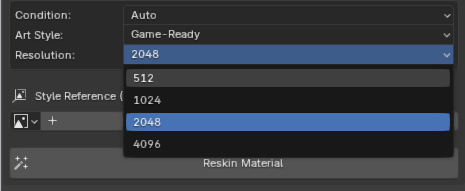
Output texture size — 512 · 1024 · 2048 · 4096 — which also selects the model under the hood. 1024 and below run on Gemini Flash (faster, cheaper); 2048 and up run on Gemini Pro (higher fidelity, higher cost). The Session Stats panel reflects exactly which one each generation spent on.
5. PBR Maps — From Geometry (the primary path)
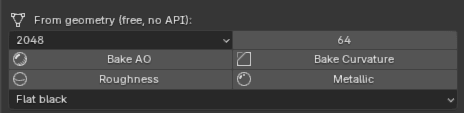
The reliable, recommended way to get physical maps — and ReskinIT's real moat. These bakes run entirely inside Blender with your actual mesh: no API call, no cost. Flat 2D web tools structurally can't do this because they never have your geometry. Bake AO reads measured ambient occlusion off the real surface; Bake Curvature extracts edges and cavities; Roughness is derived from that geometry; and Metallic defaults to flat black (the correct default — metal is the exception, not the rule). Resolution and sample controls sit at the top.
6. PBR Maps — From AI (experimental)
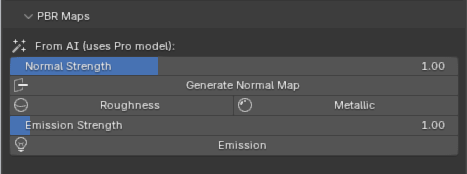
An optional, clearly-labelled experimental path that asks Gemini Pro to generate the physical channels. We're honest about the limit: a general image model paints a plausible picture of a map, not true encoded data — so treat these as starting points, not ground truth. Includes Normal Strength + Generate Normal Map, Roughness, Metallic (the strongest of the four — silhouette-aware and snapped to a clean per-island binary), and Emission Strength + Emission (genuinely well-suited, since emission is simply a glow mask). For everything physical, the geometry path above stays the recommended one.
7. Actions: Pin, Restore, Save
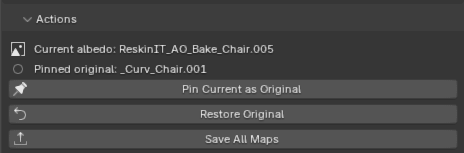
The safety net, so you can experiment freely. Current albedo and Pinned original are your two reference slots. Pin Current as Original promotes the active texture to be the new revert baseline (handy when iterating in stages). Restore Original snaps the material back to the pinned image. Save All Maps exports the albedo plus every generated and baked pass to disk in one go.
8. Session Stats: Honest Cost Tally
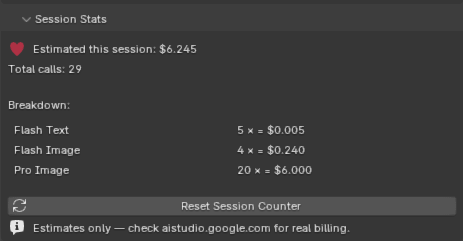
A running estimate of what your experimentation costs this session, broken down per model (Flash Text · Flash Image · Pro Image). This is a per-call estimate built from Google's published per-call pricing — not real token or billing metadata. The disclaimer is baked into the UI on purpose: Estimates only — check aistudio.google.com for real billing. Reset between projects to track per-asset spend.
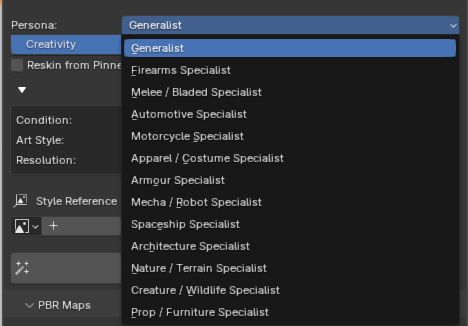
The Reskin panel docks into Blender's N-panel and reads your active object and material slot live. Type a prompt, hit Suggest for six short preset-style ideas, or load a one-click Preset. The headline control is the Persona — pick the specialist that matches your object and the entire suggestion engine reconfigures around its vocabulary. Thirteen in all: Generalist, Firearms, Melee/Bladed, Automotive, Motorcycle, Apparel/Costume, Armour, Mecha/Robot, Spaceship, Architecture, Nature/Terrain, Creature/Wildlife, and Prop/Furniture. Each one carries its own curated Design World list (persona-scoped era and genre) and its own Surface Graphics catalog — Generalist hides those extras, picking a specialist reveals them. Creativity sets how far from the original layout to push: recolor, redesign, or reinvent.
A universal axis that applies to every persona, controlling how lived-in the surface looks — independent of the design itself. Auto lets the AI decide; or dial in Pristine → Clean → Field-used → Battle-worn → Derelict. Pair a pristine finish with any design world, or grime up the exact same look — the two never fight each other.
Controls the rendering treatment of the albedo, from most stylized to most realistic: Toon → Stylized → Game-Ready → Realistic → Photo. Persona decides what the design is; Art Style decides how it's painted. The two are fully decoupled, so any persona works in any style.
Output texture size — 512 · 1024 · 2048 · 4096 — which also selects the model under the hood. 1024 and below run on Gemini Flash (faster, cheaper); 2048 and up run on Gemini Pro (higher fidelity, higher cost). The Session Stats panel reflects exactly which one each generation spent on.
The reliable, recommended way to get physical maps — and ReskinIT's real moat. These bakes run entirely inside Blender with your actual mesh: no API call, no cost. Flat 2D web tools structurally can't do this because they never have your geometry. Bake AO reads measured ambient occlusion off the real surface; Bake Curvature extracts edges and cavities; Roughness is derived from that geometry; and Metallic defaults to flat black (the correct default — metal is the exception, not the rule). Resolution and sample controls sit at the top.
An optional, clearly-labelled experimental path that asks Gemini Pro to generate the physical channels. We're honest about the limit: a general image model paints a plausible picture of a map, not true encoded data — so treat these as starting points, not ground truth. Includes Normal Strength + Generate Normal Map, Roughness, Metallic (the strongest of the four — silhouette-aware and snapped to a clean per-island binary), and Emission Strength + Emission (genuinely well-suited, since emission is simply a glow mask). For everything physical, the geometry path above stays the recommended one.
The safety net, so you can experiment freely. Current albedo and Pinned original are your two reference slots. Pin Current as Original promotes the active texture to be the new revert baseline (handy when iterating in stages). Restore Original snaps the material back to the pinned image. Save All Maps exports the albedo plus every generated and baked pass to disk in one go.
A running estimate of what your experimentation costs this session, broken down per model (Flash Text · Flash Image · Pro Image). This is a per-call estimate built from Google's published per-call pricing — not real token or billing metadata. The disclaimer is baked into the UI on purpose: Estimates only — check aistudio.google.com for real billing. Reset between projects to track per-asset spend.
PRICING PHILOSOPHY
SHIP FASTER.
OWN EVERYTHING.
KNOW YOUR COSTS.
Whether you're a studio batch-generating character skins, a solo dev matching store-bought assets to your custom art direction, or simply breathing new life into legacy projects — ReskinIT Studio handles the heavy lifting.
Unlike subscription-based API wrappers, ReskinIT connects directly to your own Google Gemini API key. You only pay for what you generate, at raw Gemini token rates. Use the generated textures commercially in your own games and projects under Google's Gemini API terms — see the FAQ for notes on third-party marketplace resale policies.
Bring Your Own Key
Your API key stays local — never touches our servers. No middleman markup, no monthly subscription, no per-seat licensing. Just raw Gemini at cost.
Built-in Session Tracking
No end-of-month surprises. A Session Cost estimator is built into the editor — it tallies token and image usage after each generation so you can see roughly what a session is costing as you work.
COST EXAMPLES
FRACTIONS
OF A CENT.
Raw Gemini API rates. No markup. Here's what each generation actually costs you.
SMART PROMPT
Transforms basic text into rich material descriptions. Varies based on word count.
512² TEXTURE
Perfect for rapid prototyping. The base image cost is fixed, but input token costs vary depending on how many 3D screenshots are sent to the AI for mesh-awareness.
1024² TEXTURE
Production-ready Flash generation. Varies slightly based on the file size of your reference geometry and style guide images.
2048² TEXTURE
Extreme fidelity using the Pro engine. Varies based on the volume of deep contextual reasoning required for complex sub-mesh bakes.
4096² TEXTURE
True 4K cinematic resolution on Gemini 3 Pro Image. Roughly $0.24 raw output token cost plus mesh-aware input overhead from AO + curvature bake passes.
*Disclaimer: The generated figures are approximate estimates and can vary slightly based on Google Gemini API token pricing fluctuations, differing prompt lengths, and mesh complexity.
ROI CALCULATOR
SEE THE ROI.
Calculate your actual production savings compared to traditional manual workflows, purchasing assets, or valuing your own hourly rate.
Your Project
Your Savings
💡 Optimization Tip: Combine Submeshes
To optimize token usage and dramatically lower costs, try to avoid packing your 3D models with dozens of separate submeshes that each require individual material bakes. Instead, combine your submeshes to share a single baked texture atlas. This approach drastically reduces the total number of API calls needed per asset, potentially dropping your expenses by a factor equal to the number of original submeshes.
*Disclaimer: Figures are approximate estimates and can vary slightly based on Google Gemini API token pricing fluctuations, differing prompt lengths, and mesh complexity.